




 Português
 English
In daily office work, DingTalk provides users with a wide range of free and practical features: convenient instant messaging for rapid information sharing; high-definition, stable DingTalk meetings that break through time and space barriers to ensure decision-making efficiency; efficient online document editing that enables team members to co-create and share anytime, anywhere; and precise attendance check-in for easy workforce management. These free features greatly enhance office productivity and benefit every user.
However, as businesses and operations evolve, more and more users are seeking a more personalized and in-depth office experience. DingTalk deeply understands the needs of this group—but what many may not realize is that developing, maintaining, and continuously upgrading these features comes at a significant cost. To strike a balance between meeting diverse needs and ensuring sustainable growth, DingTalk has carefully crafted premium paid features that cater to advanced enterprise users while preserving the seamless experience for the majority of users.
DingTalk’s Paid Feature Guidance Design Principles
1. Ensure Normal Use for All Users
The paid models for B2B products on the market vary widely. For example, Adobe and Microsoft use a subscription-based model, where enterprises or users must subscribe to access software features and services. Others, like Figma, offer a certain amount of basic functionality for free, requiring a paid subscription to unlock higher-tier features once usage limits are reached.
At DingTalk, however, one principle remains steadfast: the core features of the product must be accessible to the vast majority of users, allowing them to use the platform smoothly and reliably at any time and from anywhere. Paid options are only introduced when users have advanced or customized needs. Only by adhering to this principle can DingTalk deliver a superior service experience to its broad user base while ensuring the product’s sustainable development.
Take video conferencing as an example: DingTalk provides users with an uninterrupted meeting experience for up to 60 minutes, enabling most users to efficiently collaborate during meetings. Basic operations such as DingTalk attendance check-in are available to all users, with paid plans recommended only when enterprises require more personalized rules or customizations. The same applies to OA approvals: DingTalk offers a rich set of general-purpose approval templates for most businesses, covering common processes such as leave requests, expense claims, and office supply applications. For enterprises with complex business workflows, unique approval steps, or deep customization needs, DingTalk provides tailored paid solutions.
2. Match Paid Strategies to Business Needs
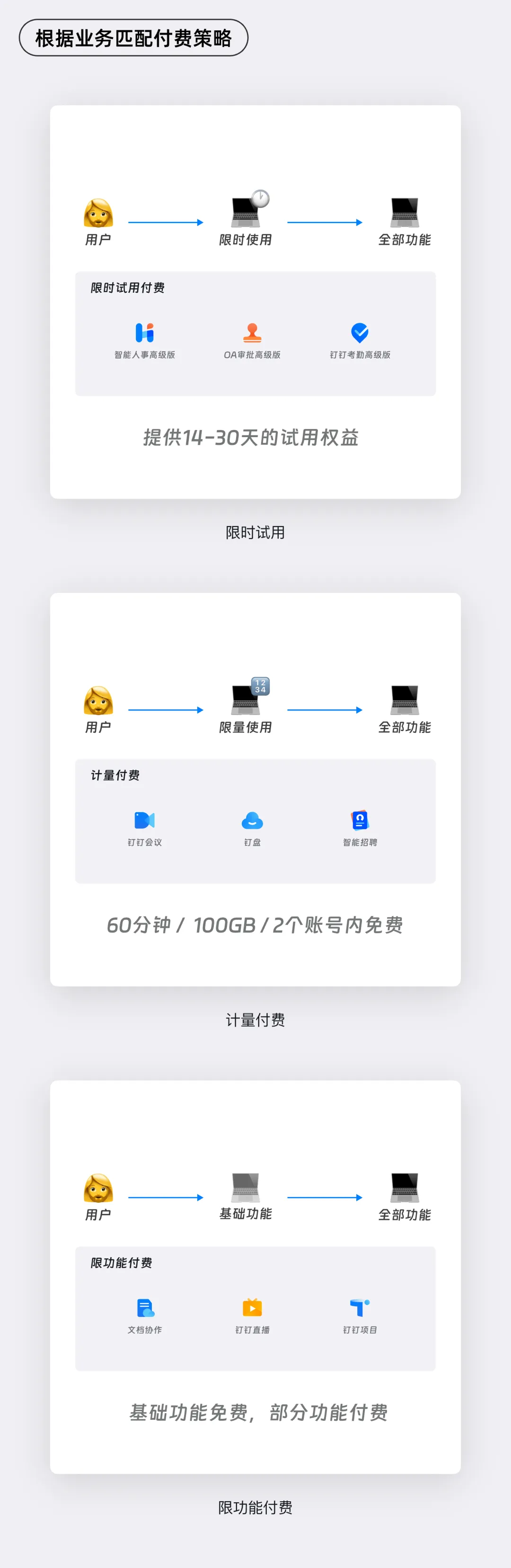
DingTalk’s product portfolio is extensive, its user base is diverse, and its business scope is broad. Adopting different paid strategies for different business areas is essential to safeguarding the user experience. To this end, we have identified the following paid models for various product lines, ensuring that users—whether new to the platform or long-time users—can quickly and clearly understand the boundaries and value of paid features across all functional areas.
Time-limited access:
Users are granted full access to the product for a specific period, allowing them to experience the product’s features and value before being guided toward a paid upgrade. After the trial period ends, users must pay to continue accessing the product.
Usage-based pricing:
Users are provided with a certain amount of free usage, after which they are prompted to upgrade if they require additional capacity. For example, Ding Drive offers 100 GB of free storage, with users encouraged to upgrade once they exceed this limit.
Feature-limited access:
Basic features are available for free, while advanced or customized features require a paid subscription. For instance, DingTalk’s various office suites—including organizational HR and intelligent contracts—provide foundational functionality for small and medium-sized enterprises. If enterprises need higher-tier or customized features, they must purchase a subscription to unlock those capabilities.
How to Design Premium Features for Paid Adoption?
1. Paid Engagement Points
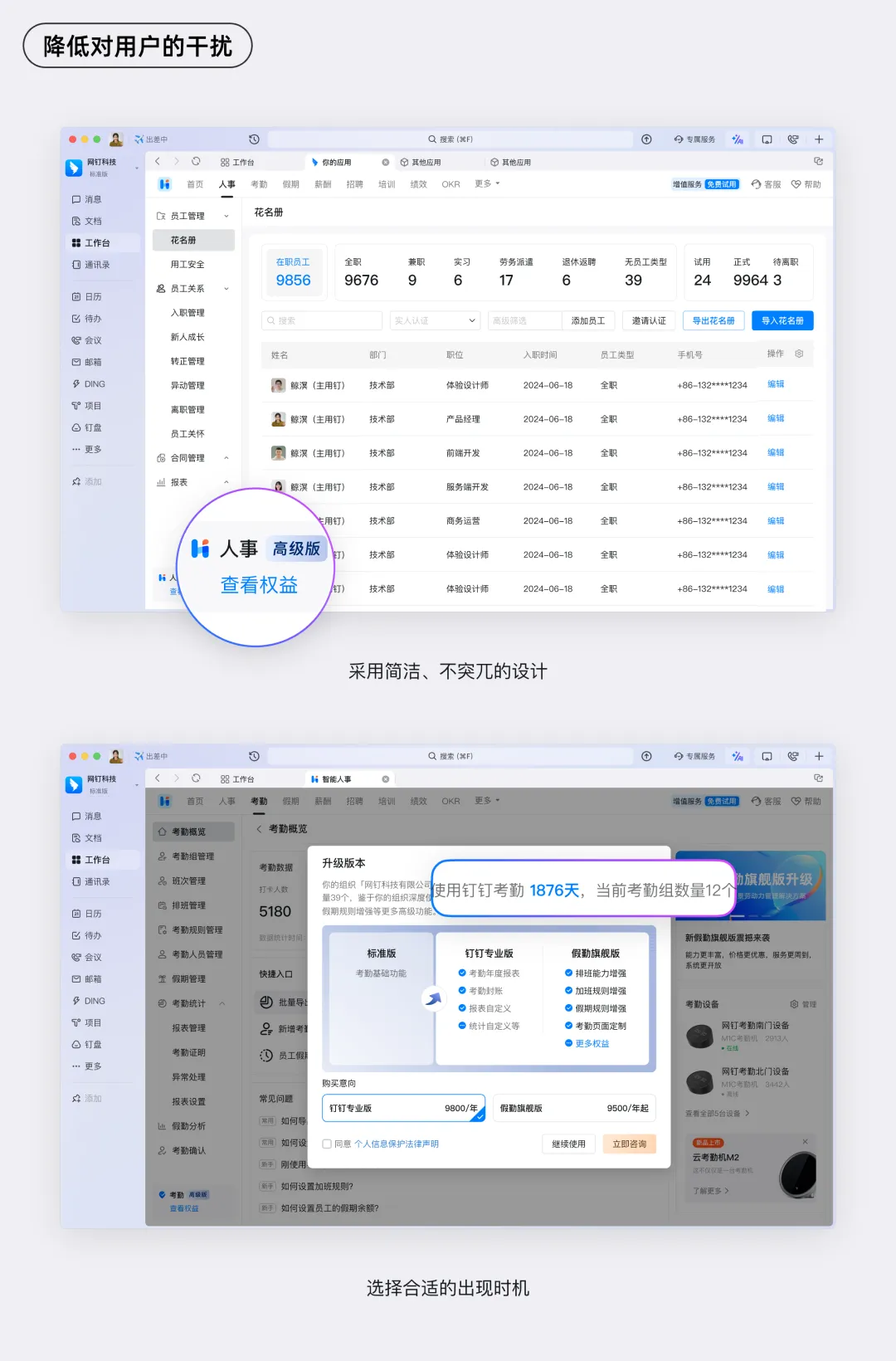
Minimize user disruption:
Use a clean, unobtrusive design style to present paid engagement points. Avoid overly bright colors or large pop-ups that forcefully grab users’ attention. Instead, opt for prompts that blend seamlessly with the overall product design. Additionally, ensure that paid guidance appears only after users have developed a clear understanding of the product’s value and have had meaningful interactions with it—for example, when users have repeatedly used a particular feature and shown strong engagement. At this stage, users are more likely to accept a paid upgrade.
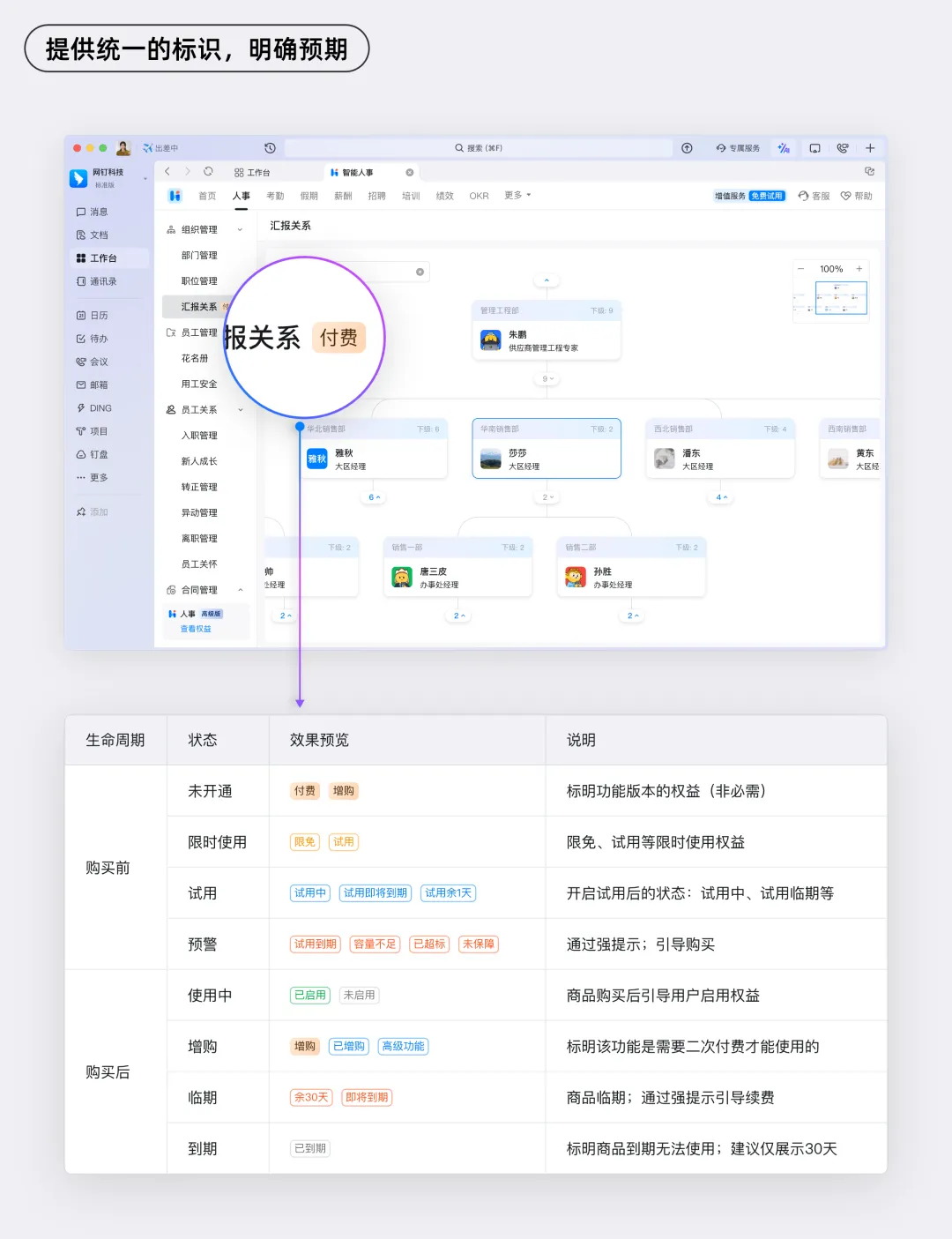
Provide unified identifiers to set clear expectations:
Place consistent paid feature indicators in key locations throughout the product, such as the homepage, navigation menu, and detailed content pages. This allows users to easily identify which features require a paid subscription before entering those sections. When users first encounter a paid feature indicator, provide a brief description explaining the specific benefits and services they will receive upon payment. By setting clear expectations about the value of a paid subscription, you increase the likelihood that users will choose to pay.
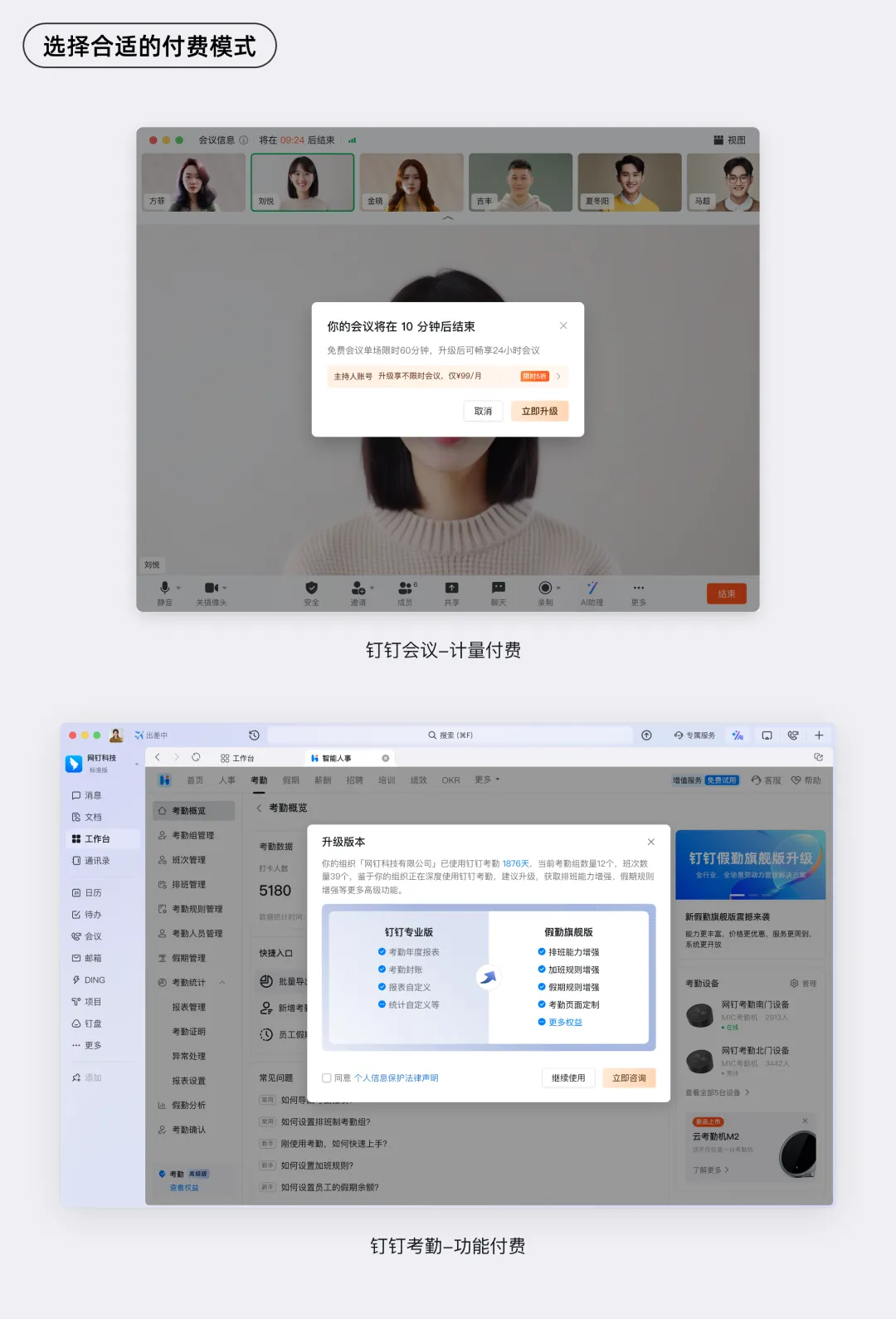
Choose the right paid model:
For content-consumption-based businesses—such as meetings or cloud storage—you can use a usage-based pricing model. Under this model, users enjoy a certain amount of free usage over a specific period or for a limited number of sessions, after which they must pay to continue. This approach encourages users to try the product while also creating a natural incentive for them to upgrade. For feature-based businesses—such as software tools or cloud storage—you can use a feature-limited access model. Under this model, basic features are available for free, but advanced features—such as enhanced editing capabilities in software or larger storage capacities in cloud storage—require a paid subscription. This approach caters to different user needs, allowing users to decide whether to upgrade based on their specific usage scenarios.
2. Before Payment
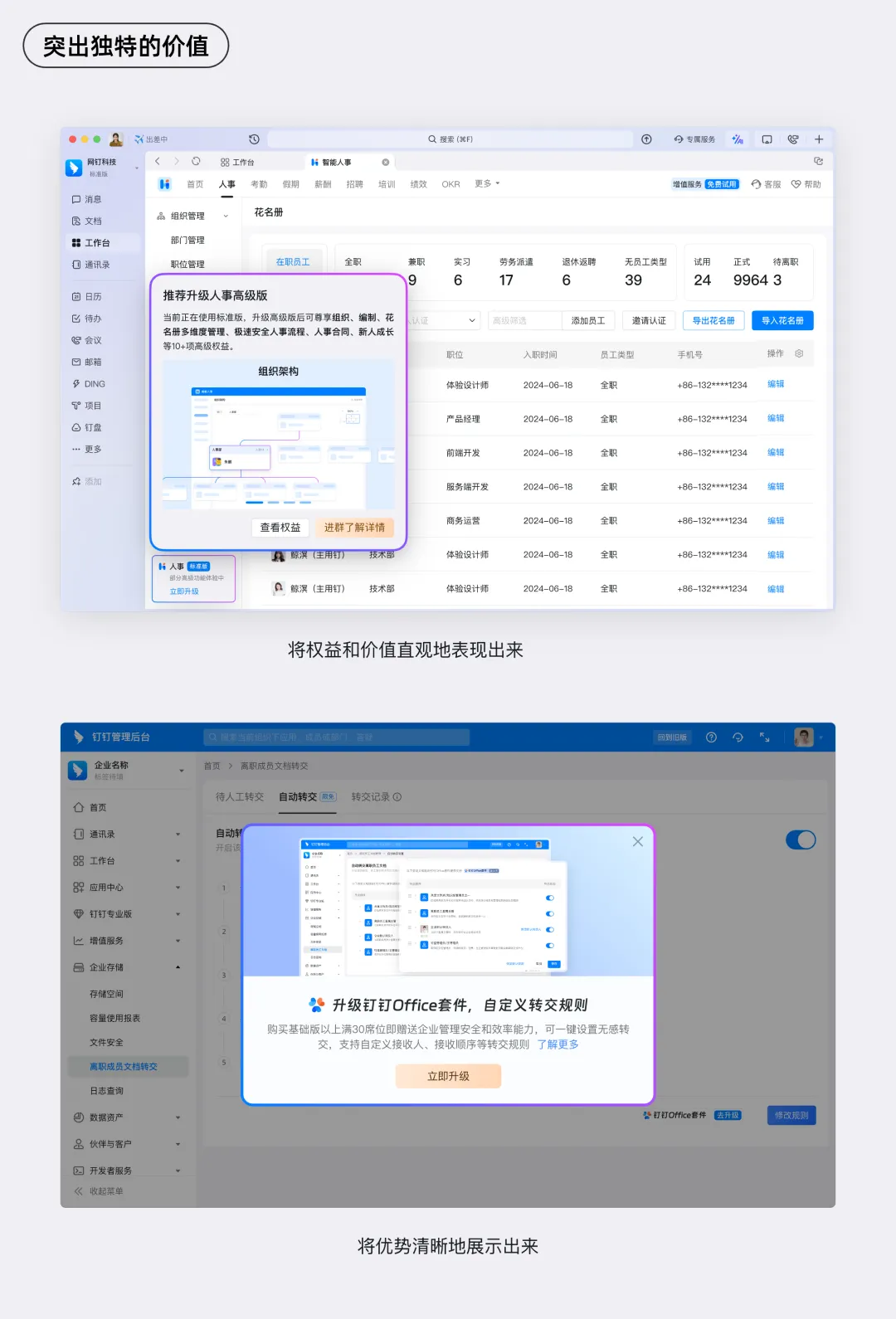
Highlight unique value:
On the payment page, list the exclusive benefits and value that paid members receive. Use eye-catching headlines and bullet-point formats to clearly showcase these advantages. By presenting the tangible improvements and differentiated experiences that come with a paid subscription, you make it easier for users to see the value of upgrading and increase their willingness to pay.
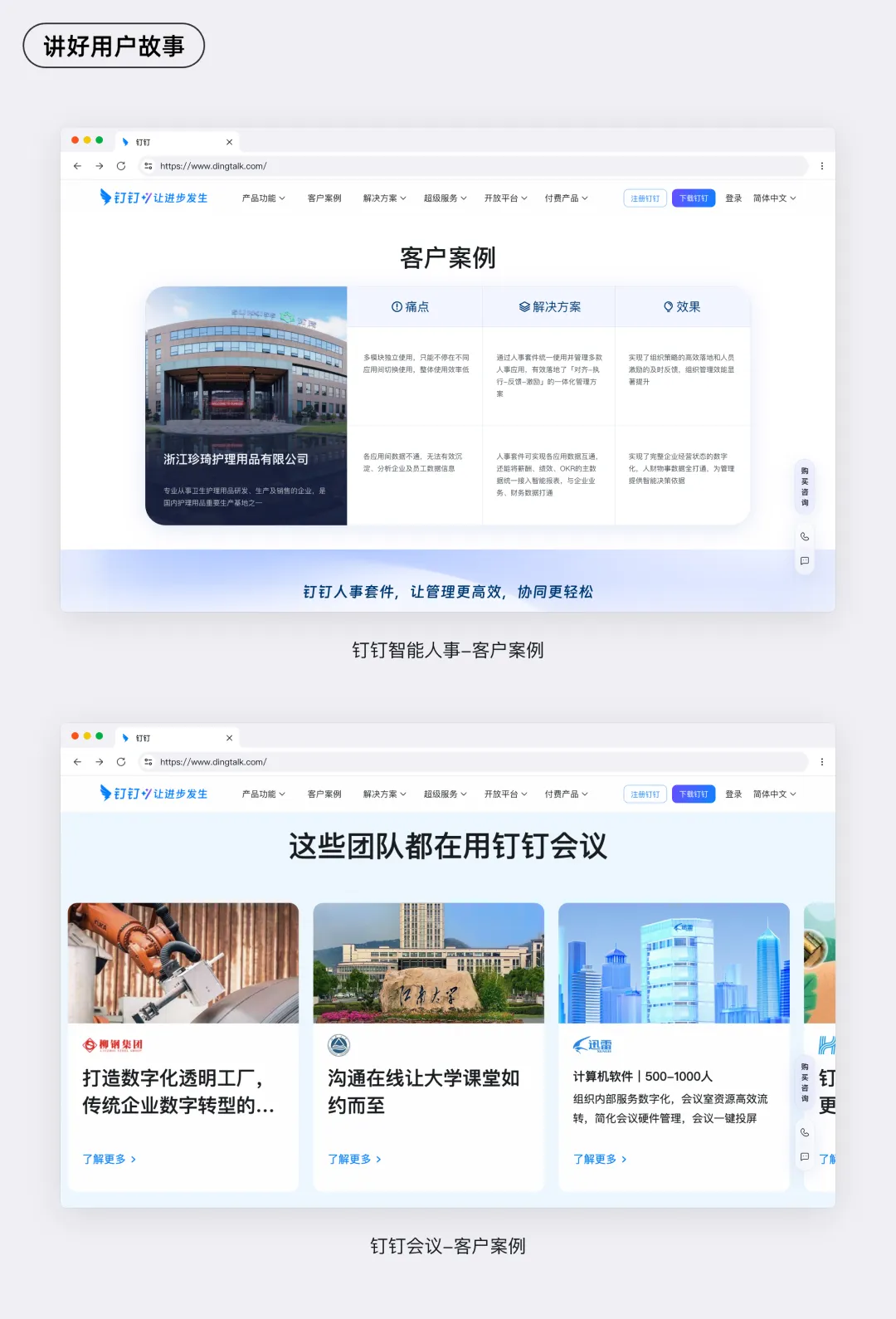
Tell compelling user stories:
On the payment page, display real user stories and positive reviews—featuring testimonials from leading users in the field. Present these stories in the form of written narratives, video interviews, or screenshots of user ratings. By showcasing authentic experiences from other users, you build trust and credibility around the product, making potential users more likely to pay and enjoy similar benefits themselves.
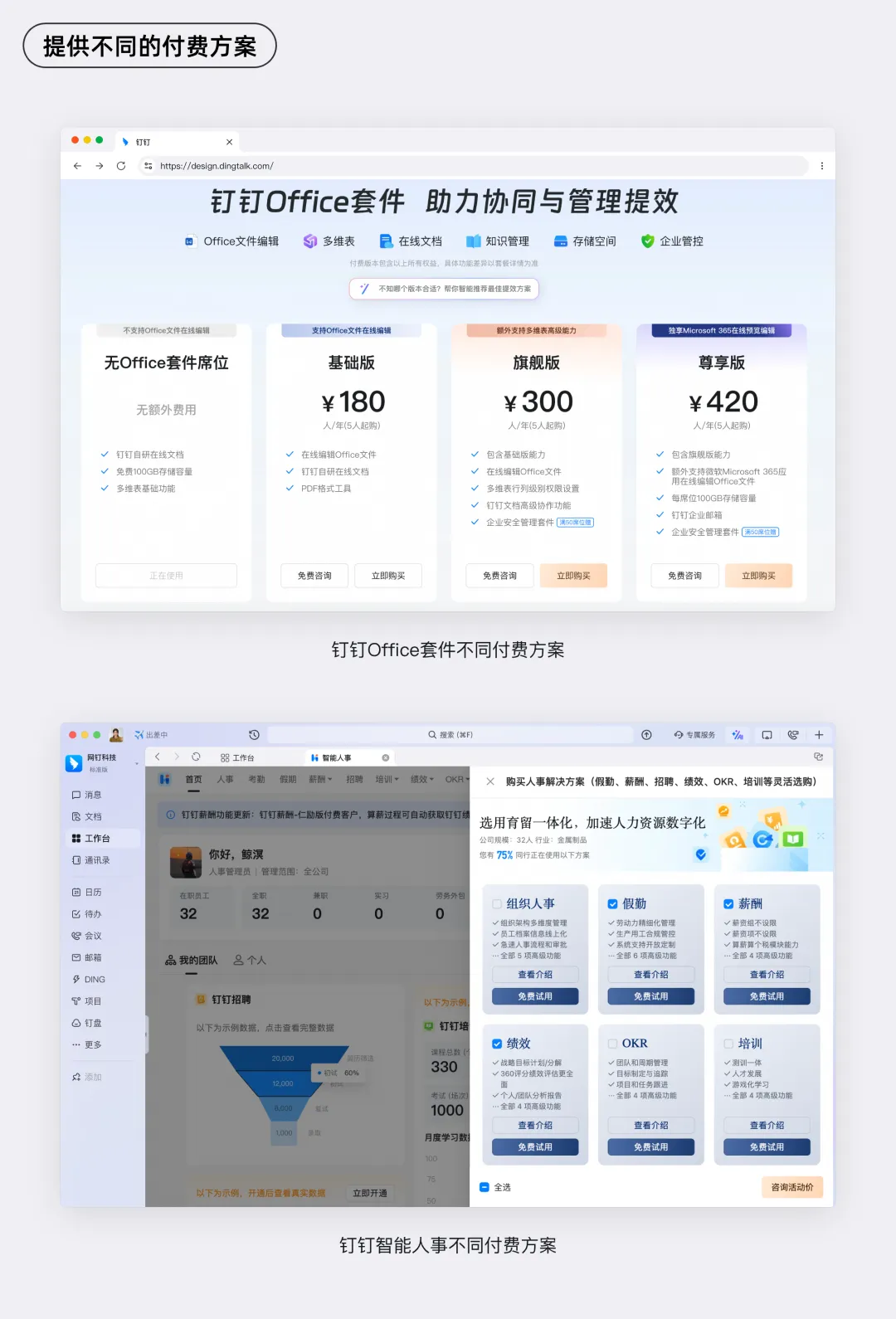
Offer multiple paid plans:
Design a variety of paid plans so users can choose the option that best fits their usage frequency and level of dependency on the product. By providing multiple plan choices, you increase the conversion rate for paid subscriptions and attract a broader range of users to become paying members.
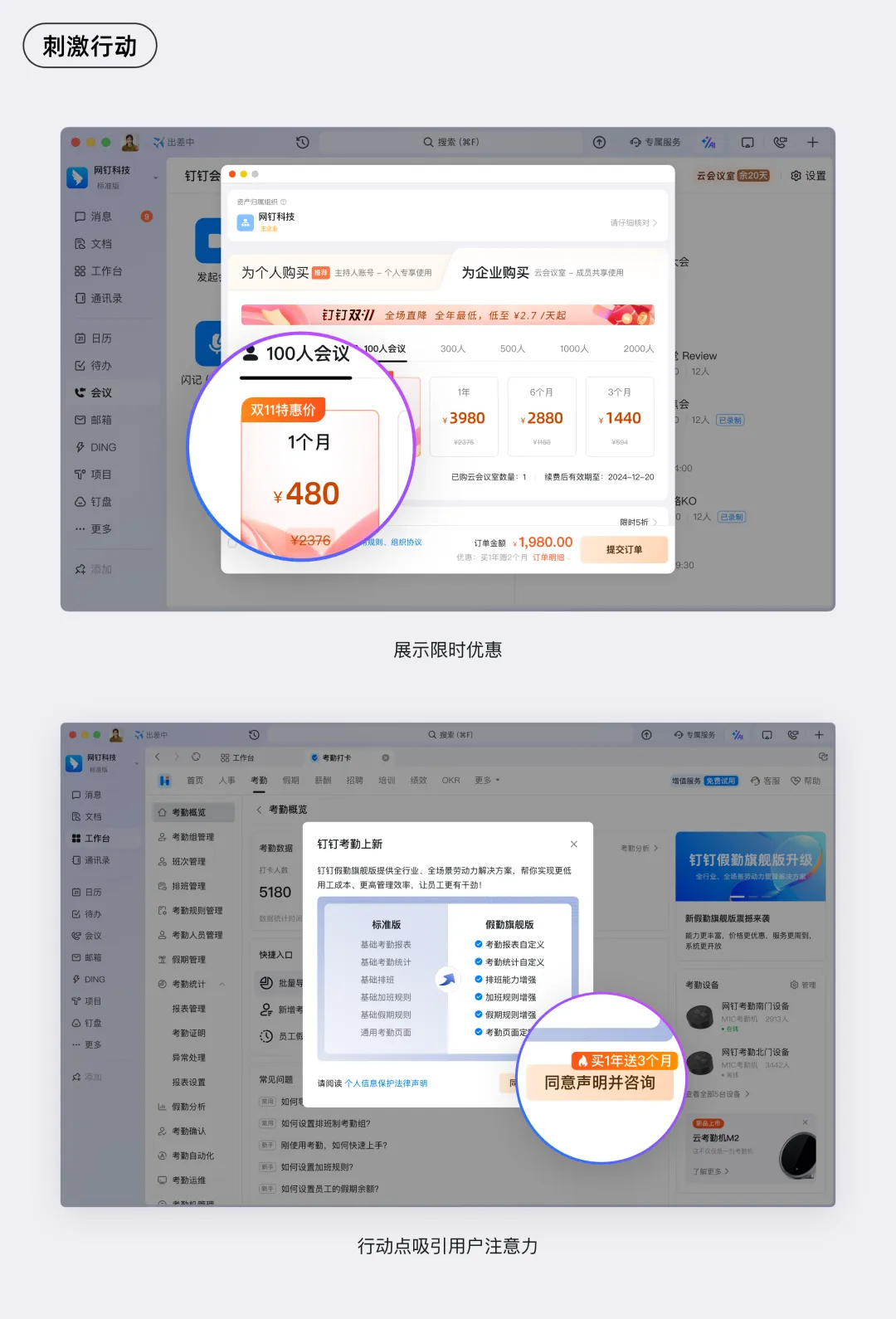
Create a sense of urgency:
When users reach the payment page, use language and design elements that create a sense of urgency and appeal to prompt immediate action. For example, run limited-time promotions such as “50% off for members—only for 24 hours,” and display a countdown timer on the page to show how much time is left. This creates a psychological push for users to act now before missing out on the discount. At the same time, use prominent “Buy Now” or “Upgrade Now” buttons in bold, contrasting colors—such as red or orange—to draw users’ attention and guide them toward taking action.
3. After Payment
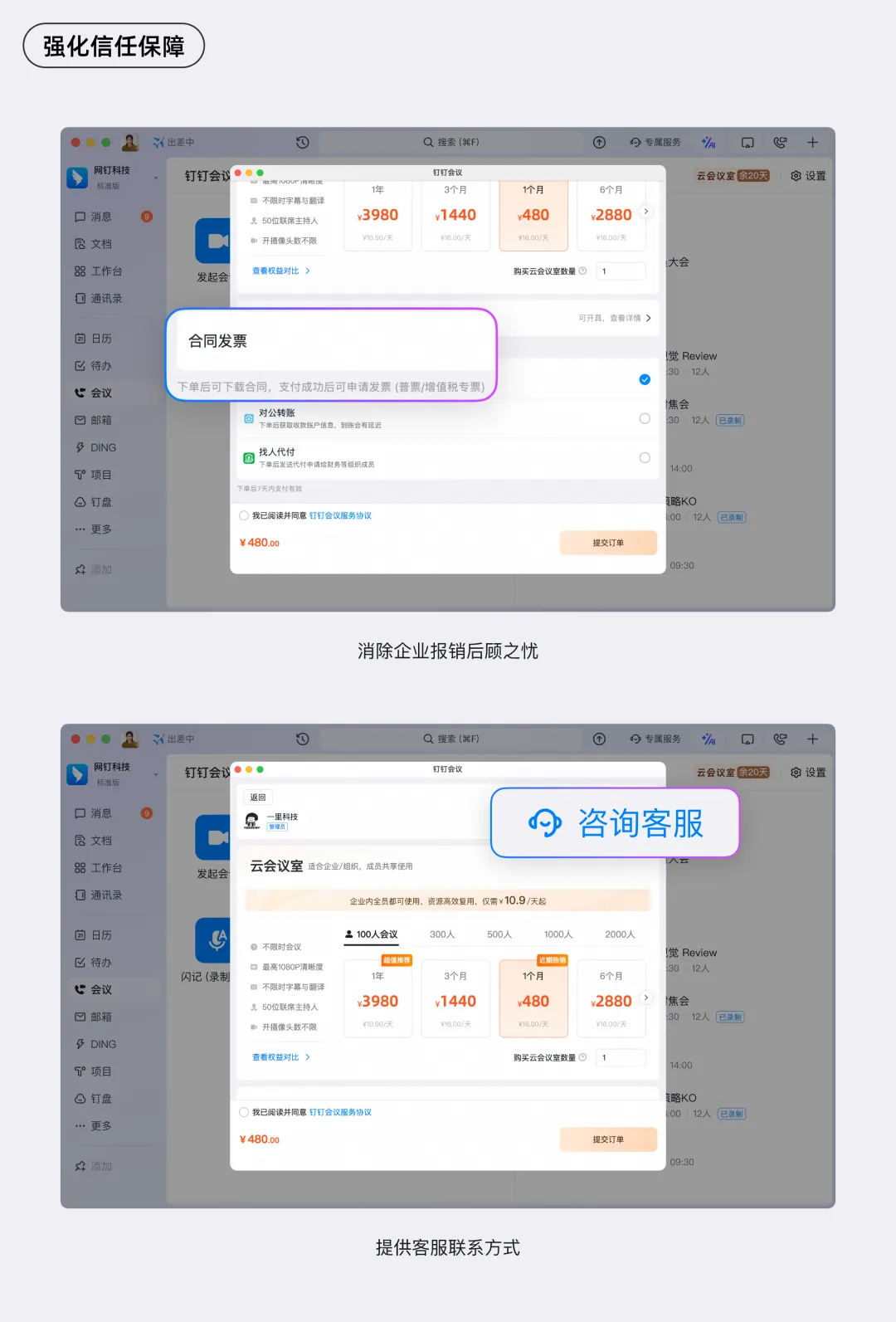
Strengthen trust and security:
Display clear security payment badges and privacy policy disclosures on the page to reassure users that their payments are safe. For example, provide detailed information about how the platform protects user privacy, including commitments not to disclose personal or payment information. This helps eliminate users’ concerns and builds confidence in the platform. In addition, offer multiple customer support channels—such as live chat, phone support, or email—so users can quickly get help if they encounter issues during the payment process. This further enhances user trust and increases the likelihood of successful payments.
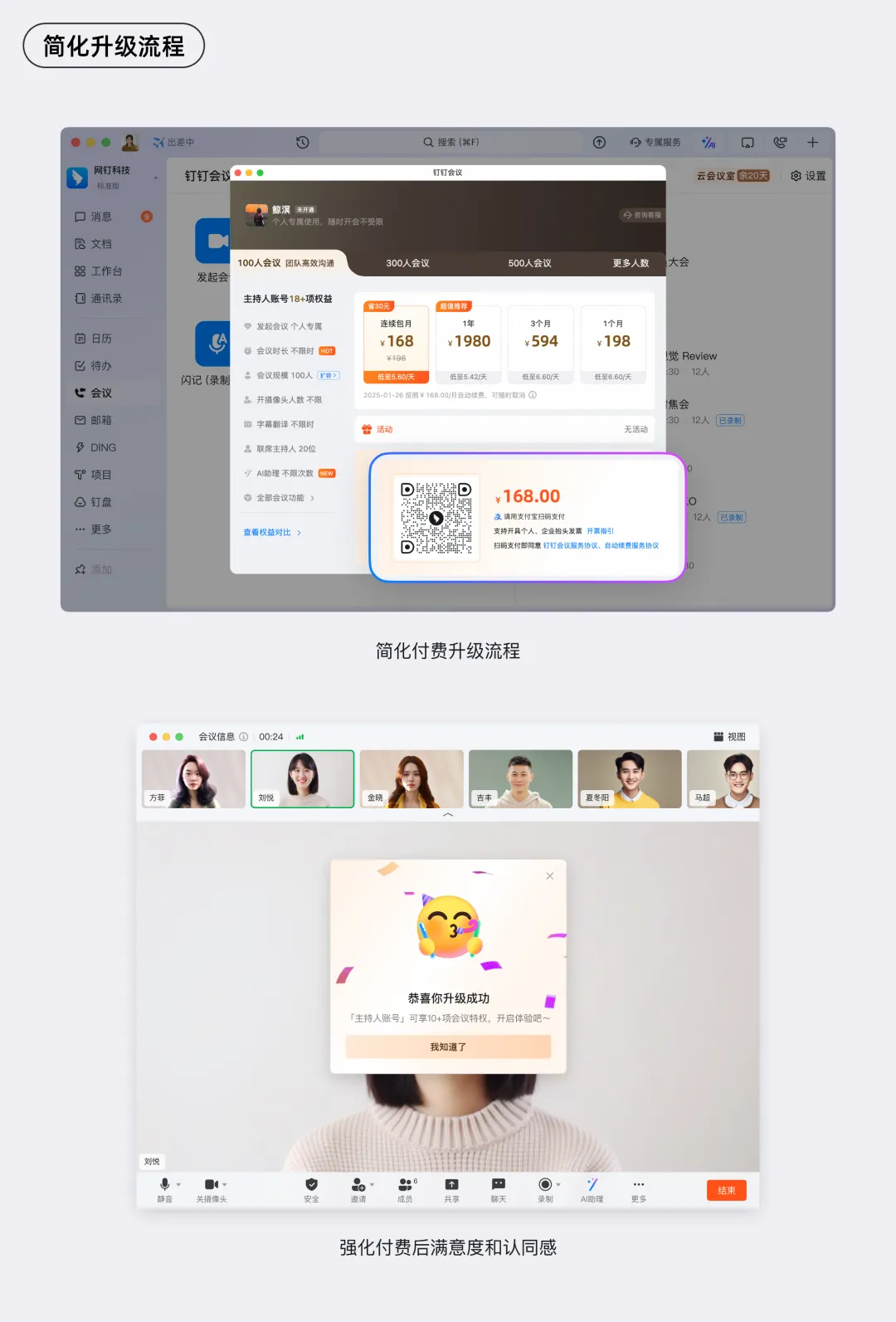
Simplify the upgrade process:
Ensure that the paid upgrade process is simple, fast, and seamless, minimizing the number of steps and wait time for users. Optimize the payment page design by collecting only the necessary information, such as payment method selection and account credentials (or third-party payment authorization), and avoid lengthy forms. Offer multiple payment methods to accommodate different user preferences, including credit cards, debit cards, mobile payments, and e-wallets. Ensure that each payment method has been thoroughly tested to ensure stable and rapid transactions. Once the payment is completed, immediately display a confirmation message indicating a successful upgrade, and direct users to a dedicated page or feature area reserved for paid members. This allows users to immediately experience the benefits of their paid subscription, enhancing their satisfaction and loyalty to the platform.
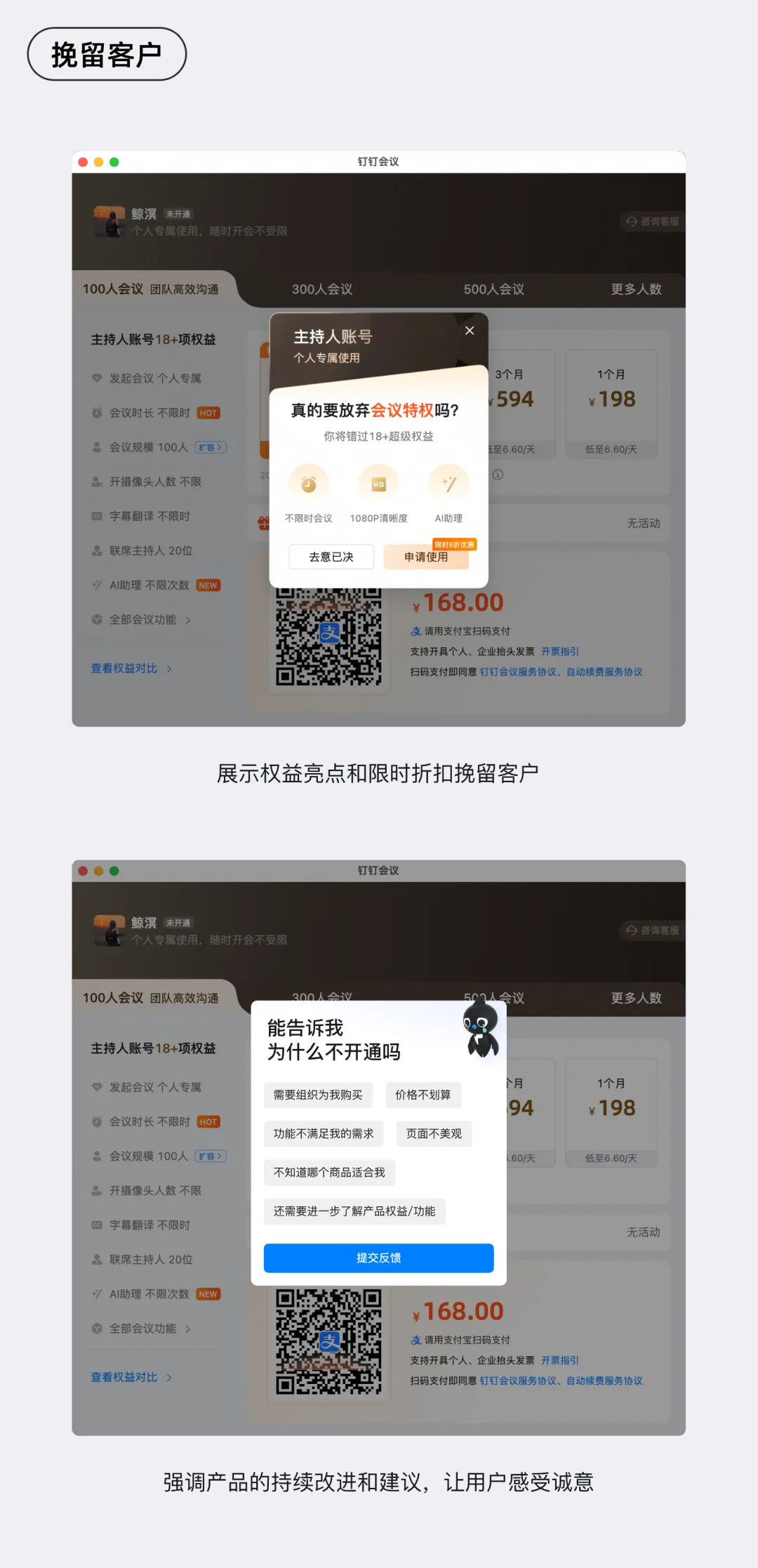
Retain customers:
For potential customers who reach the payment page but do not complete the transaction, implement retention strategies to encourage them to convert. For example, when users are about to leave, display personalized offers or limited-time discount codes to entice them back. You can also emphasize the platform’s ongoing improvements and updates, as well as future plans to deliver even more high-quality content and services to paid members. By highlighting the platform’s commitment to growth and innovation, you give users a renewed reason to consider becoming paying members.
Conclusion
In summary, effective paid feature guidance requires a multi-faceted approach. From a content and service perspective, it is crucial to create high-quality content that genuinely meets user needs, ensuring that the value of a paid subscription far exceeds the cost. In terms of user experience, the paid process must be simple, smooth, and user-friendly, while offering premium post-purchase support and ongoing service guarantees to enhance user retention and loyalty. Finally, pricing strategy cannot be overlooked: it must align with market conditions, the purchasing power of the target audience, and the perceived value of the content, resulting in a pricing structure that is both reasonable and flexible. Only by carefully balancing these key elements and continuously refining them can paid feature guidance truly deliver results—maximizing the commercial value of content while securing both user satisfaction and business success.
The above insights are based on DingTalk designers’ practical experience in paid feature guidance. We welcome your feedback and discussion.
DomTech is DingTalk’s official designated service provider in Macau, specializing in providing DingTalk services to a wide range of customers. If you’d like to learn more about DingTalk platform applications, feel free to contact our online customer service or reach us by phone at +852 95970612 or by email at [email protected]. Our skilled development and operations team brings extensive market experience and is ready to provide you with professional DingTalk solutions and services!