




 Português
 English
If a company's digital assets are compared to a data warehouse, DingTalk is the guardian of that warehouse. In this digital era, with the widespread use of personal phones and mobile office tools, messages, files, and screenshots that employees send—whether intentionally malicious or due to negligence—can expose the data warehouse to information security risks at any time.
Data security, privacy protection, and security compliance are the lifelines of DingTalk's development. To date, DingTalk has obtained more than 15 security compliance certifications, making it one of the enterprise collaboration products with the most comprehensive authoritative compliance credentials. At the same time, DingTalk Exclusive Edition, as DingTalk's version for medium- and large-sized customers, allows us to serve more clients and gain insights into real security incidents that many customers have experienced. Building on DingTalk's high-level security protections, we provide more granular, enterprise-specific management solutions. This article will focus on these real-world incidents and explain how DingTalk helps enterprises prevent or resolve such security risks.
Identity Security
Identity Security
According to third-party reports, 84% of surveyed companies experienced a data breach in the past year; 80% of these attacks were identity-related, including ransomware attacks and information theft. Moreover, 78% of the surveyed companies suffered direct financial losses due to identity-related breaches. DingTalk Exclusive Security addresses account, device, and network factors, performing flexible, multi-condition security checks in complex environments to tackle one of the most significant threats to enterprises: identity theft and unauthorized access.
Enterprise Accounts | Unified Account Distribution by the Enterprise, Data Belongs to the Enterprise
Mr. Wang works in sales at a certain company. When he joined the company, he registered a DingTalk account on his own, and an administrator invited him to join the company organization. Since then, he has been using his personally registered DingTalk account for work. Two years later, Mr. Wang left the company for a competitor, taking with him two years' worth of customer communication data. As a result, the company lost key clients and orders, resulting in a loss of ** ten thousand yuan.
To prevent such risks from happening again and to improve the onboarding experience for employees, the company enabled DingTalk Exclusive Edition enterprise accounts. When an employee first logs into DingTalk after joining the company, they receive an enterprise account via SMS from the company. They no longer need to register a DingTalk account themselves and then request to join the company organization or be added by an administrator; instead, they can directly use the enterprise account to join the organization. When an employee resigns, their account is automatically disabled, and their access permissions are automatically revoked, eliminating the need for the employee to manually upload and save data. The enterprise also avoids losing core data due to individual employee departures.
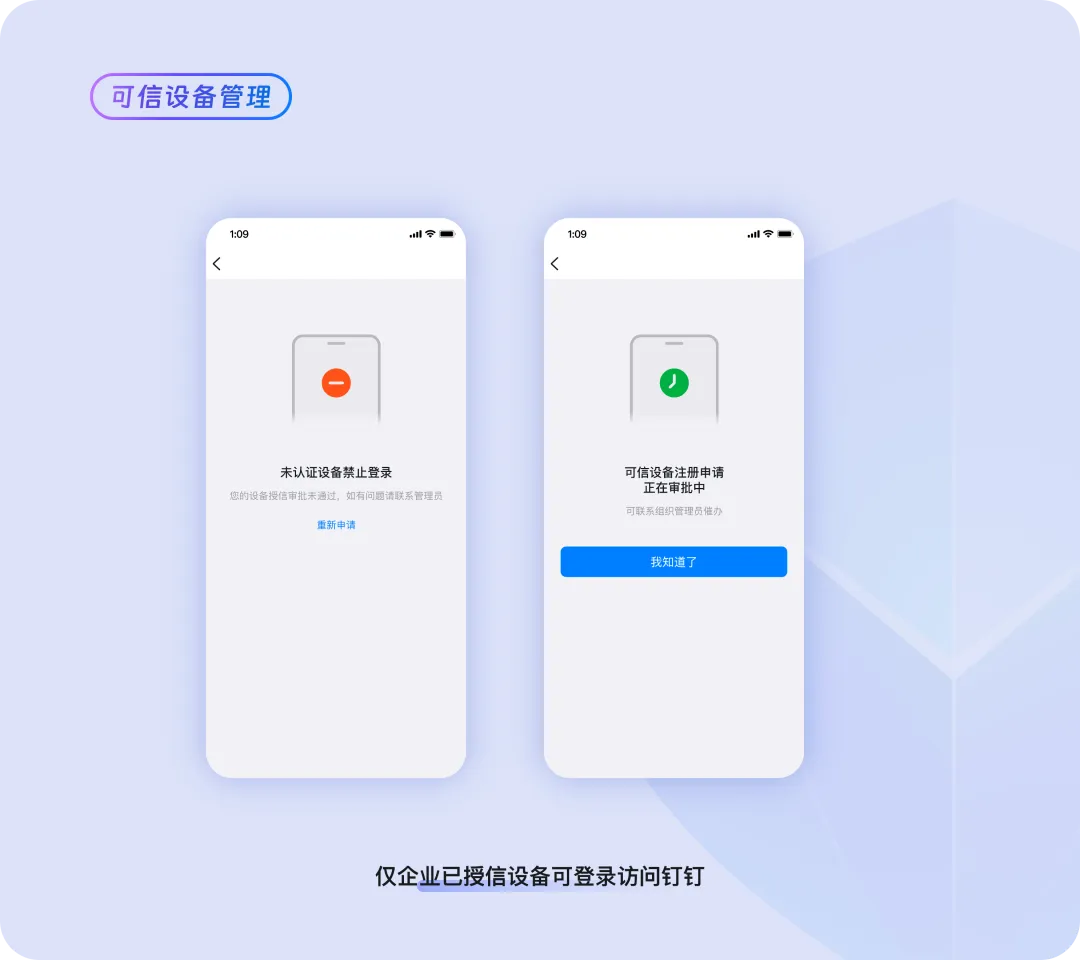
Trusted Devices | Unified Device Access Authorization, Making Mobile Office More Secure
Ms. Zhang is a finance employee at a certain company. While traveling with her family, she accidentally lost her frequently used phone. Since DingTalk was logged in on the phone, there was a risk of financial information being leaked. Ms. Zhang immediately contacted the company administrator to report the situation, noting the potential risk of data leakage.
After learning about the situation, the administrator removed the lost phone from the list of trusted devices in the DingTalk Exclusive Edition backend. As a result, DingTalk on the lost phone automatically logged out and could no longer be re-logged into, ensuring secure access to the company's data quickly and easily.
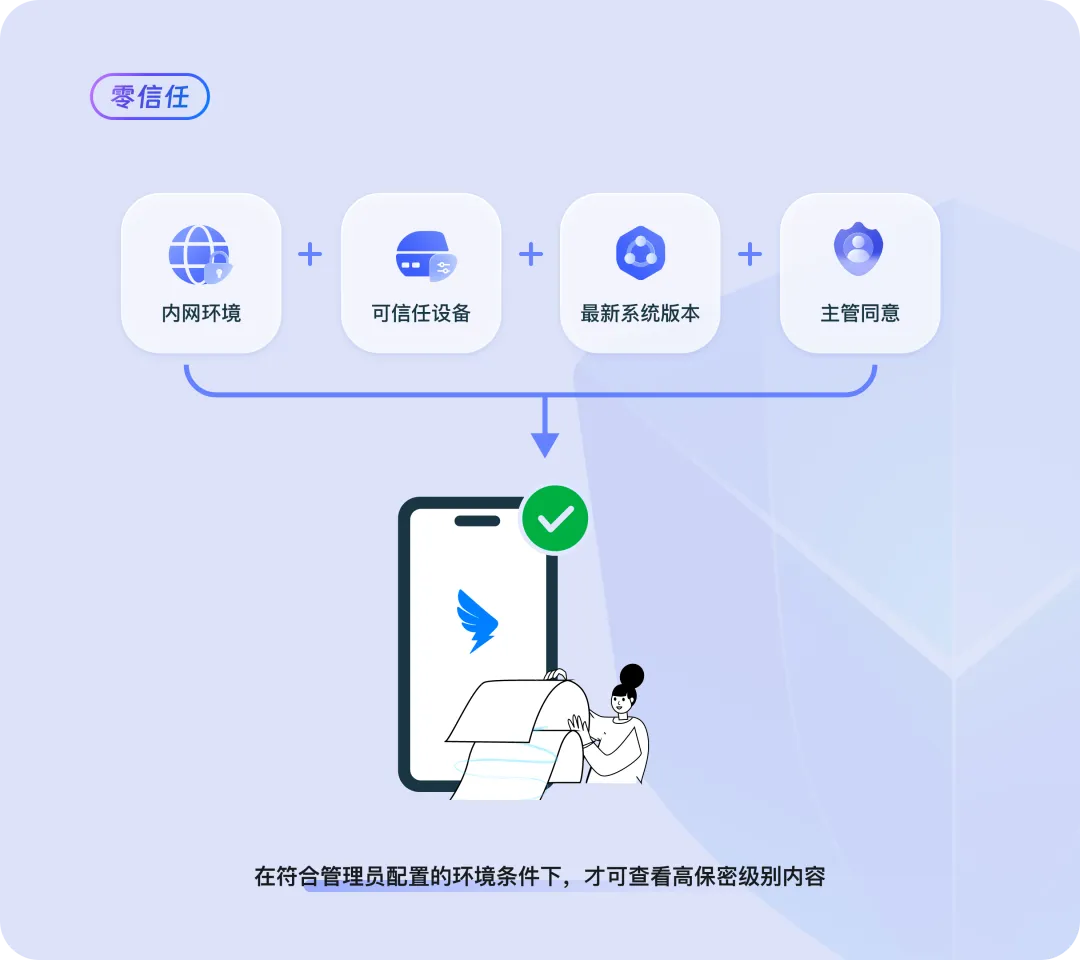
Zero Trust | A More Flexible New Security Model Adapting to Complex Enterprise Security Standards
Mr. Li from the strategy department of a certain company needs to view the company's IPO materials on DingTalk. According to company management requirements, such documents are highly sensitive data. To protect this highly sensitive data, the company stipulates that Mr. Li must log in from the company's internal network using a trusted device, and the device's operating system must be updated to the latest version. Only after meeting all these conditions and receiving approval from his supervisor can he view the materials.
To address this complex data protection environment, the administrator configured zero-trust control rules in the backend. The complex combination of conditions is broken down into environmental factors linked by "AND" and "OR," making it easy to configure various data protection environments. Once the configuration is complete, if the access environment changes to an untrusted environment, access to sensitive files is automatically blocked.
Endpoint Security
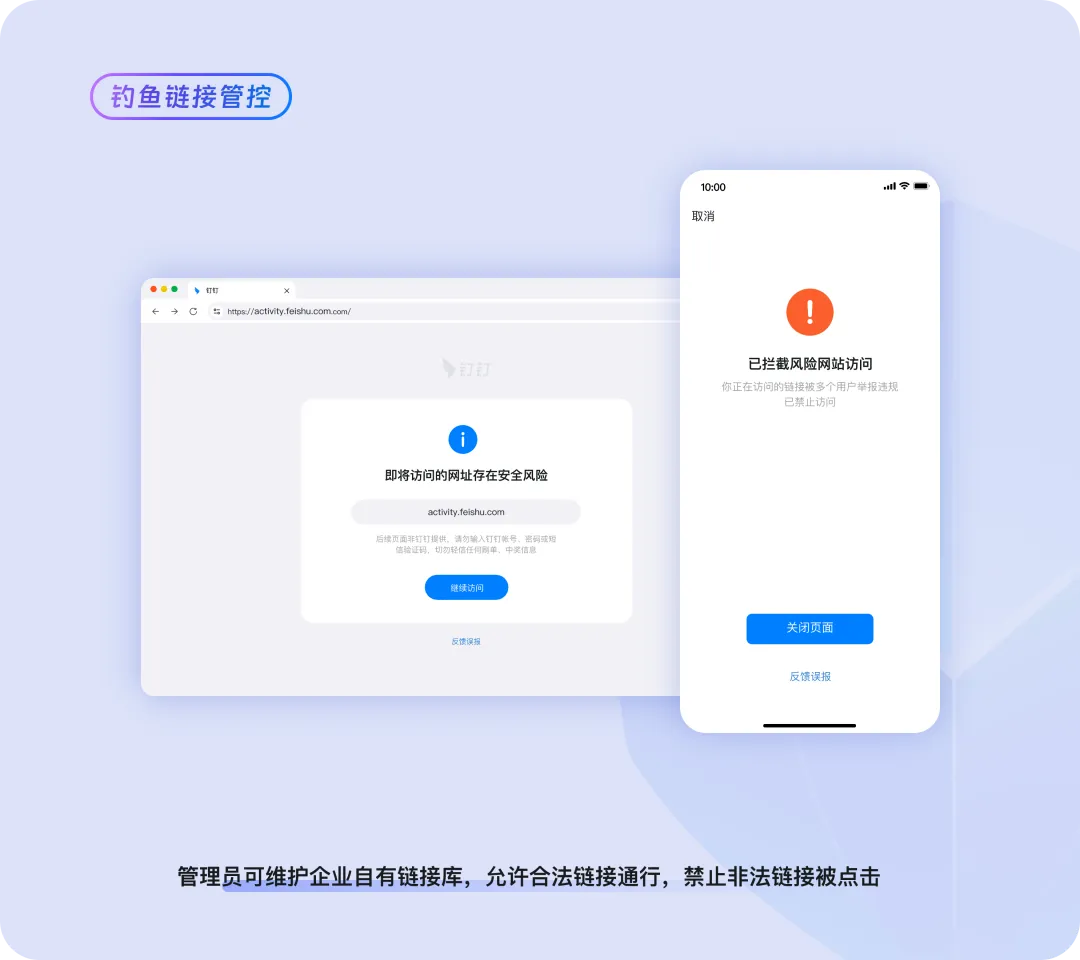
Fishing Link Control | Monitoring and Blocking Illegal External Links to Prevent Malicious Intrusions
An employee at a certain company, Ms. Han, accidentally clicked on an external link in a chat. The link appeared to be a government announcement about claiming subsidies, but it was actually a phishing website disguised by cybercriminals. After clicking the link, Ms. Han's account was compromised, and malware was automatically sent to all members of the company, posing a serious threat.
To prevent employees from becoming targets of malware attacks through accidental clicks, the administrator enabled the DingTalk Exclusive Edition fishing link control feature and configured a database of risky web links in the backend. From now on, if an employee attempts to visit such a webpage, the page will display a warning that the link poses a data security risk and block access, thereby preventing malicious intrusions and the spread of malware.
Data Protection
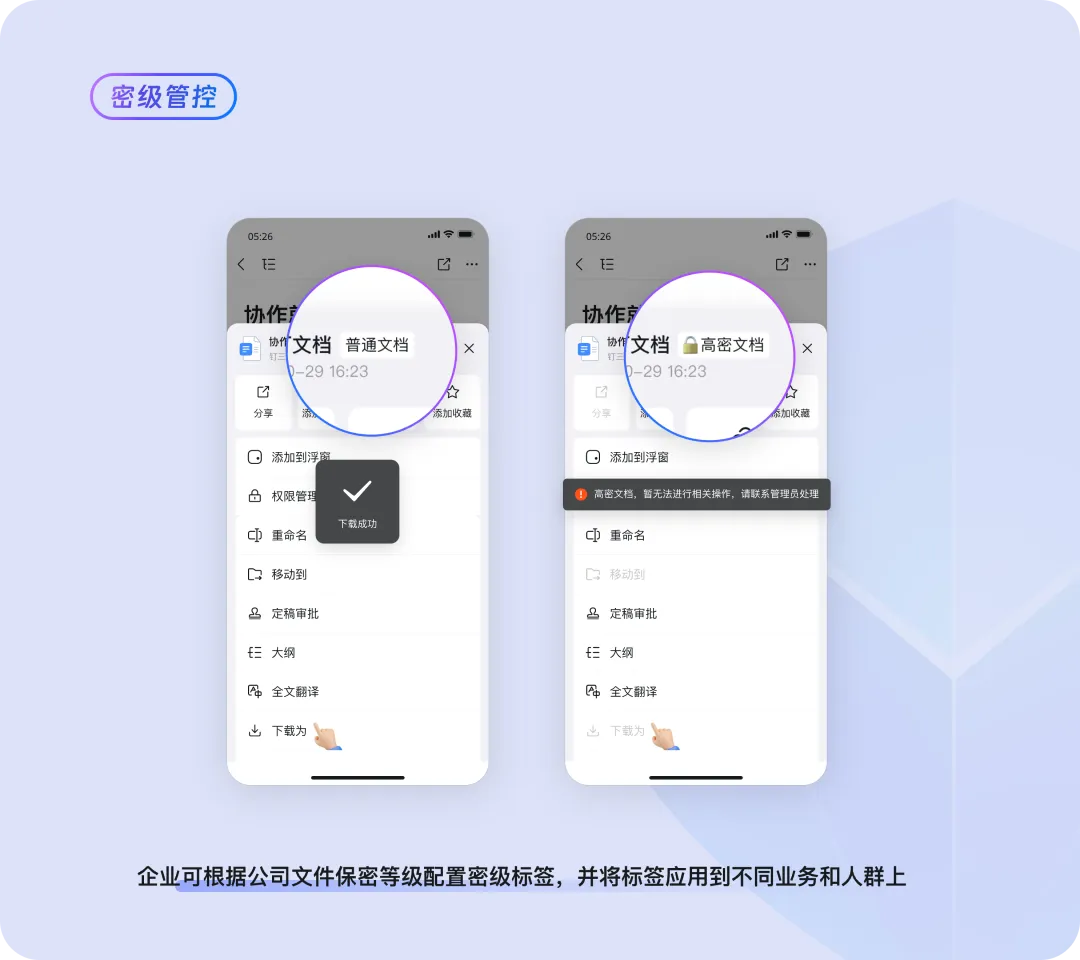
Data Sensitivity Levels | Automatically Identifying Data Sensitivity Levels, Easily Establishing a Tiered Management System
"One of the biggest challenges we face is how to implement our company's file management policies on DingTalk," says Mr. Fan, an IT department specialist. "We want to manage files in a tiered manner on DingTalk: strengthen management of sensitive files while allowing employees to collaborate freely on ordinary files. But we don't know which files are sensitive, so it's hard to establish effective control strategies." Traditionally, the company's information security officer would regularly organize training sessions for employees and distribute paper documents or notices to remind everyone of the security standards for files and documents, as well as the grading rules and operational guidelines for files from high to low sensitivity levels, so that employees would follow them in their daily work. However, this approach is costly and often ineffective, and oversights still occur frequently.
To improve management efficiency, the administrator enabled the DingTalk Exclusive Edition data sensitivity level feature. After setting up the grading rules in the backend and activating the feature, the system automatically scans files, uses intelligent analysis to evaluate the content, and automatically classifies and labels files based on their sensitivity level, significantly reducing the cost of training employees on file grading. At the same time, once the operational rules corresponding to different sensitivity levels are set, the system can automatically enforce rules such as prohibiting the forwarding of high-sensitivity files to external parties and allowing low-sensitivity files to be shared with customers as needed. This enables differentiated file management, prevents data leaks, improves work efficiency, and saves management costs.
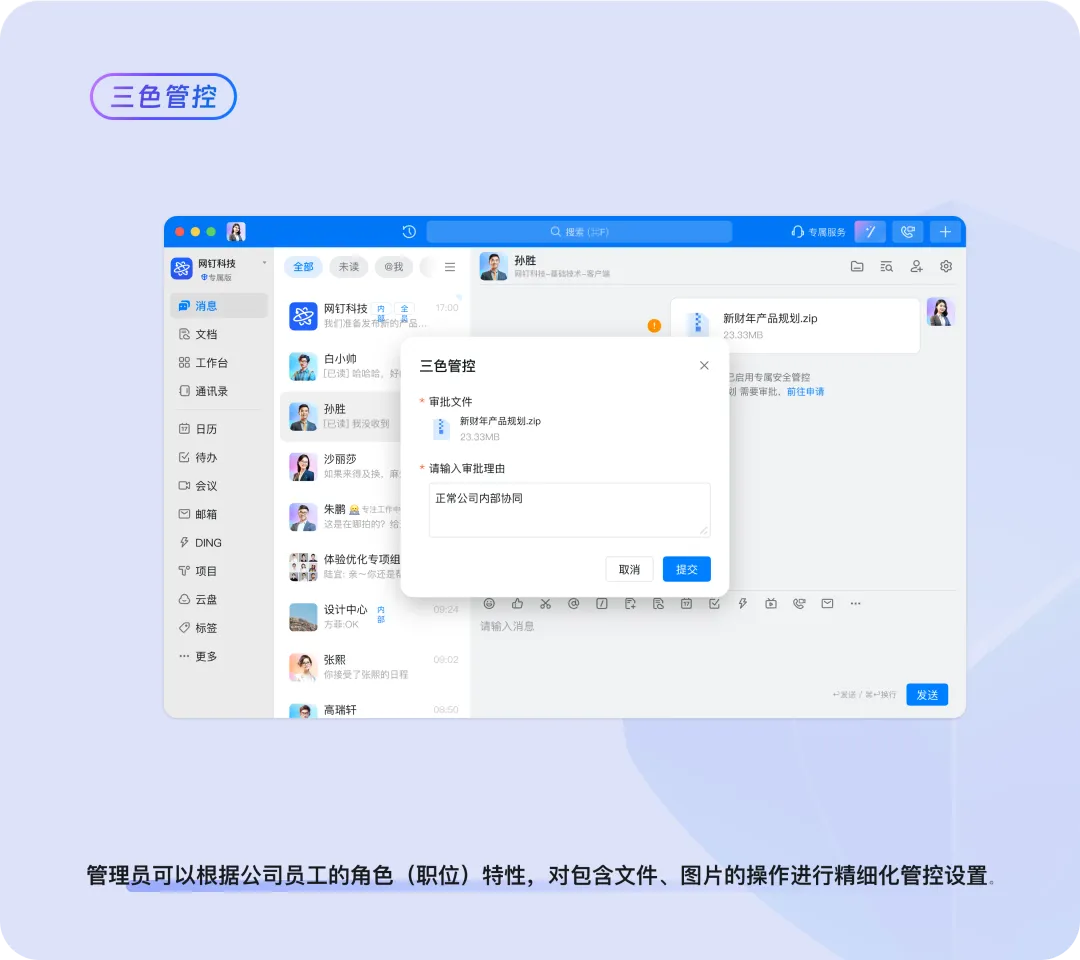
Three-Color Control | Building a Role-Based Trust System, Permissions Adjust Dynamically Based on Roles
How to strike a balance between security management and business collaboration efficiency has long been a challenge for Mr. Zhao, the head of the security department. Traditional security management takes a one-size-fits-all approach: either files are strictly prohibited from being forwarded or circulated among departments—making collaboration difficult—or departments are allowed to freely share files with each other—leading to lax controls and massive losses in the event of a data breach.
Every enterprise has different departments, positions, and internal and external collaboration scenarios. With three-color control, the administrator assigns permissions to different personnel roles based on their job characteristics. For example, R&D personnel who handle core confidential information are not allowed to send or authorize files to be shared outside their department. Administrative and HR personnel, whose roles require rapid internal collaboration, enjoy more relaxed controls. Once the control is enabled, when personnel in a given role sends a file to colleagues in another department that is not covered by the established rules, the system automatically triggers a control alert, and the file can only be successfully sent after approval. "Employees no longer complain that security management is stifling business!"
Conclusion
DingTalk is committed to building a safer enterprise office environment. Through serving numerous customers, we have accumulated rich experience and capabilities, enabling us to provide enterprises with solutions to address real-world security threats. With our exclusive security product series, we offer comprehensive protection for enterprises' digital assets.
DomTech is DingTalk's officially designated service provider in Macau, specializing in providing DingTalk services to a wide range of customers. If you'd like to learn more about DingTalk platform applications, feel free to contact our online customer service or reach us by phone at +852 95970612 or by email at [email protected]. We have an excellent development and operations team with extensive market service experience and can provide you with professional DingTalk solutions and services!