




 Português
 English
In a multi-dimensional table, we often encounter complex scenarios that require formula functions or automated data entry.
Don’t worry—AI can handle even the most advanced capabilities.
It not only flexibly handles various formula calculations but also enables automated data entry, greatly improving work efficiency and accuracy.
Last time, we explored the “super” capabilities of the multi-dimensional table AI field template—“Multi-tasking, Done in Seconds.” This time, we’ll continue to break down the advanced techniques of multi-dimensional table AI:
AI formulas—Describe your needs in plain language, and let the algorithm do the work for you
Automation workflows—Set it up once, and AI is on standby 24/7
Smart dashboards—Data visualization at a glance
Get ready to add some powerful AI to your work.
AI-generated formulas
- Express your needs naturally, and let AI handle the function formulas -
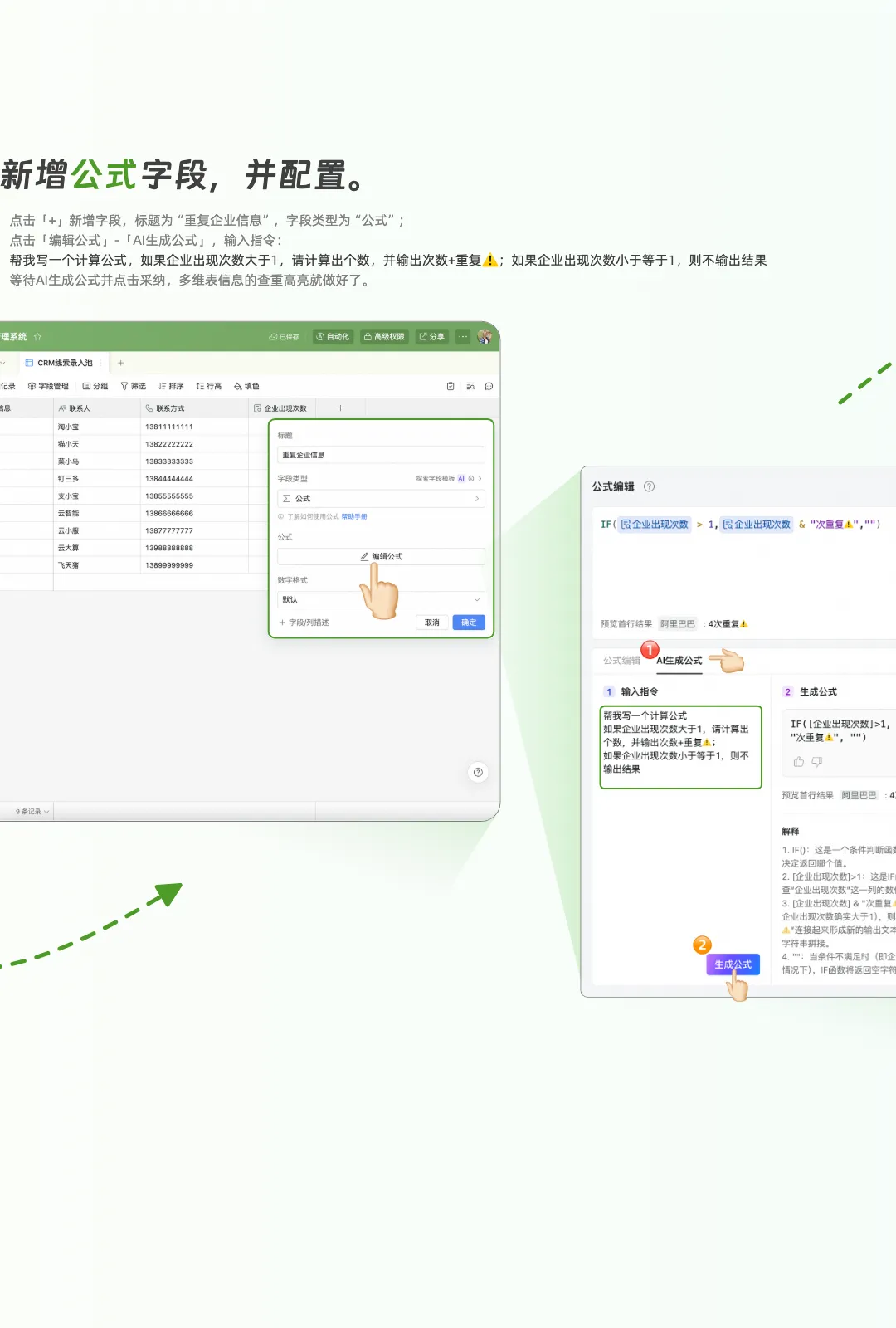
Describe your needs in natural language, and let AI instantly understand your intent. Based on the fields, it generates the corresponding formula—this is the AI-generated formula feature in multi-dimensional tables.
If there’s a formula you don’t know how to write but want to calculate, you can try letting AI help you write it.
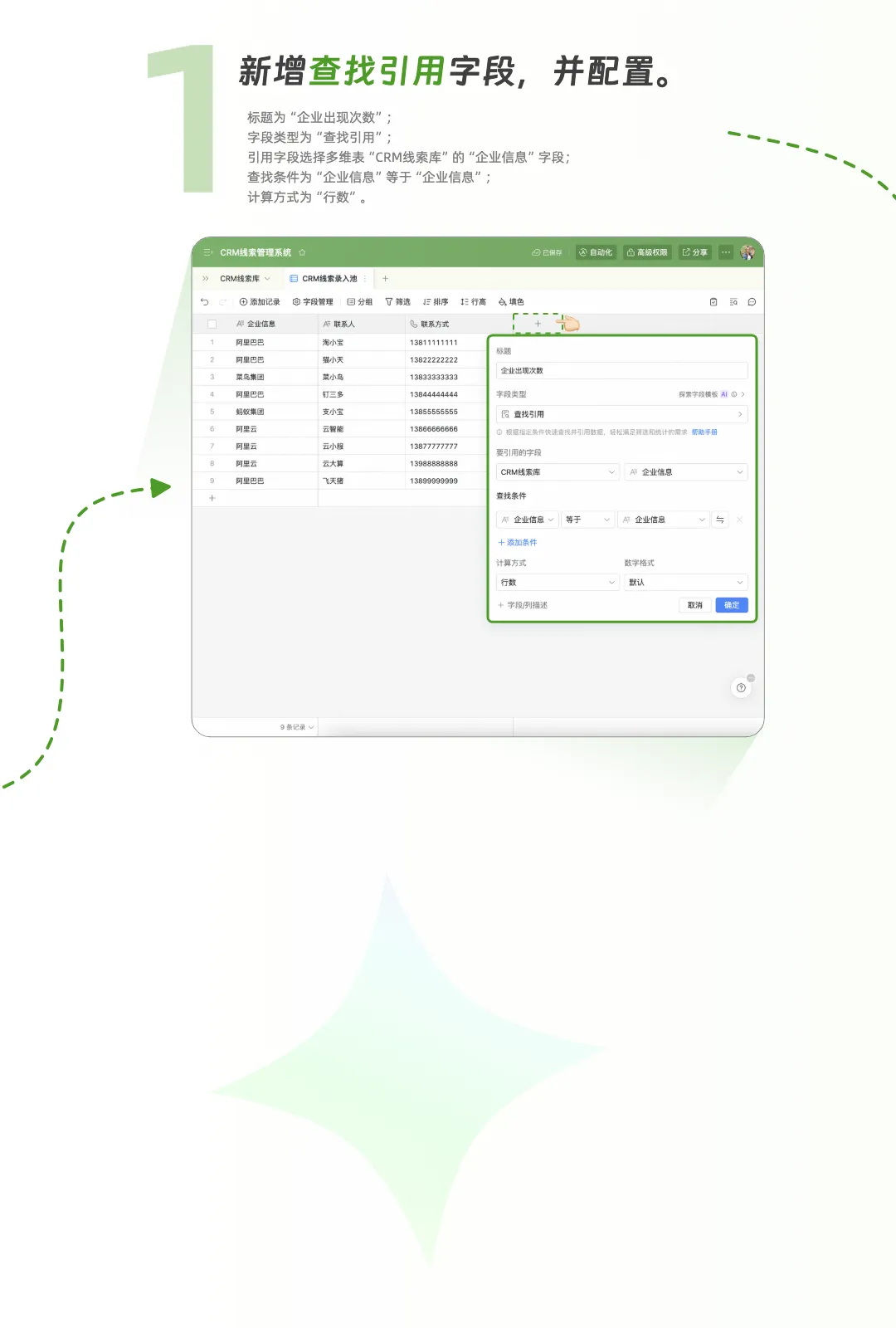
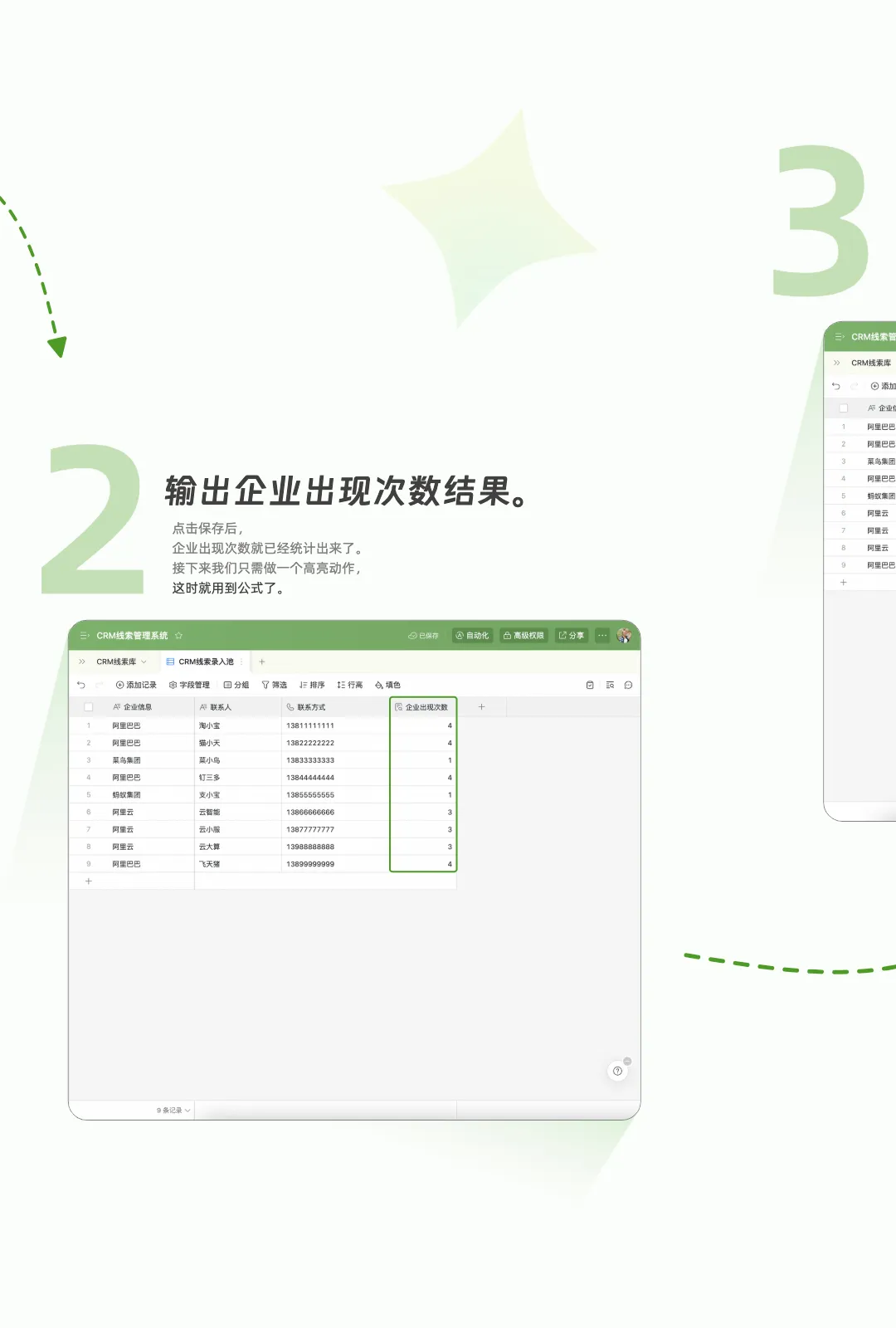
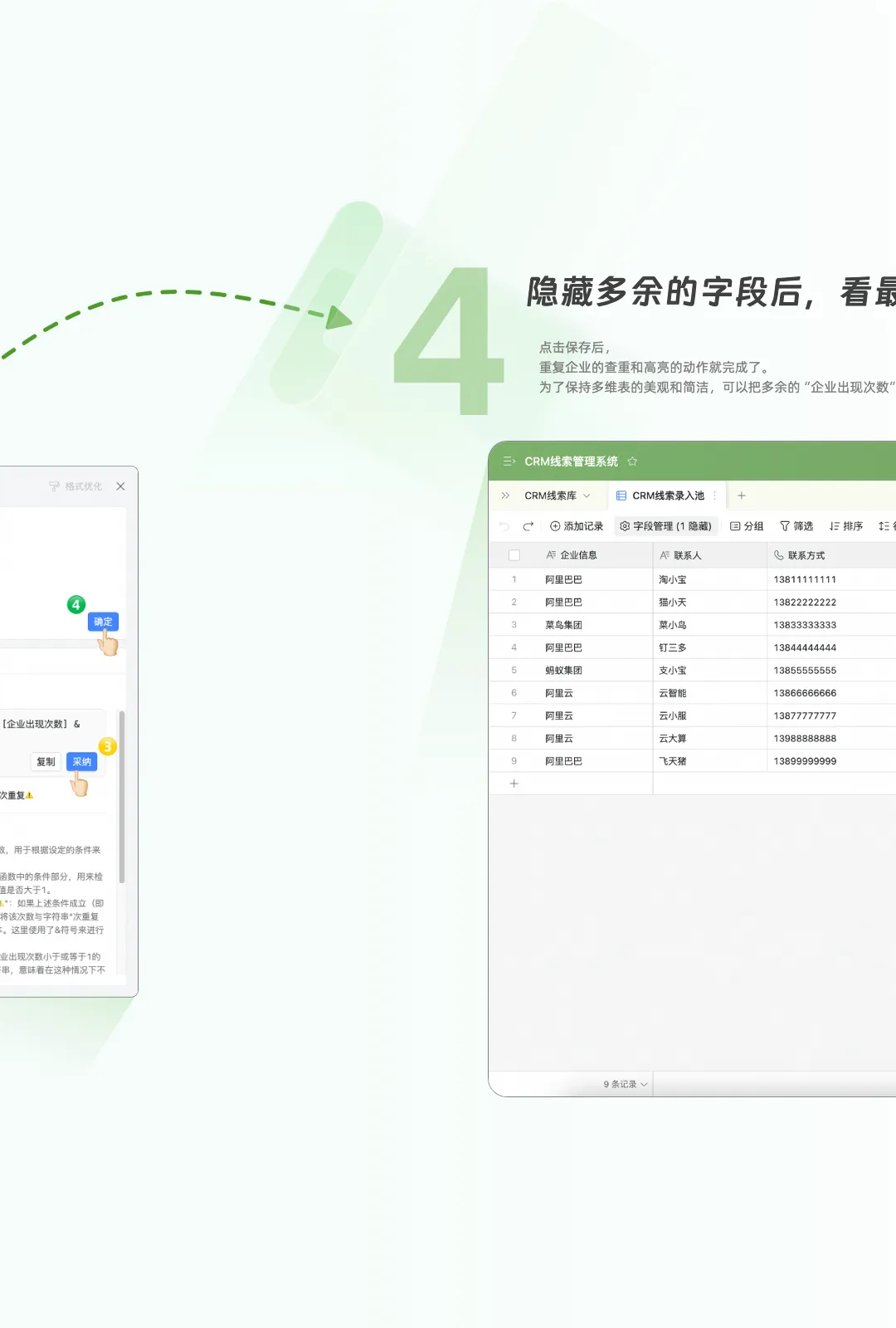
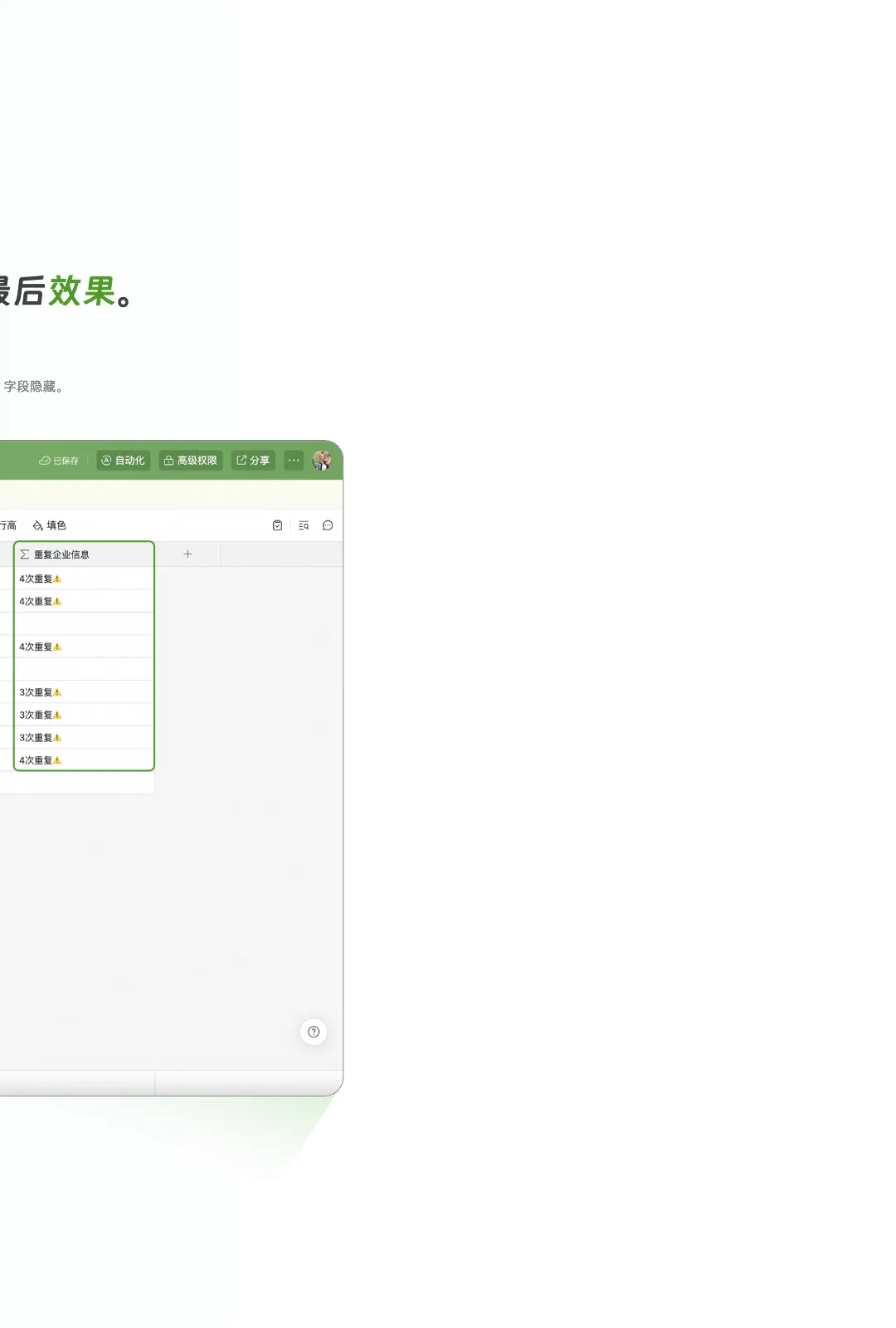
For example, you can use it to filter, detect duplicates, and highlight them.
Unlike spreadsheets, in multi-dimensional tables, we can use a clever method to achieve data deduplication and highlight alerts.
This is where the combination of a “Lookup” field and a “Formula” field comes into play. The goal is to use the “Lookup” field to count the number of rows with duplicate company information in the current table, then use the “Formula” field to consolidate the results and output highlighted alerts.
Scroll down to see how easy it is to use?
AI automation workflows
- AI works for you around the clock -
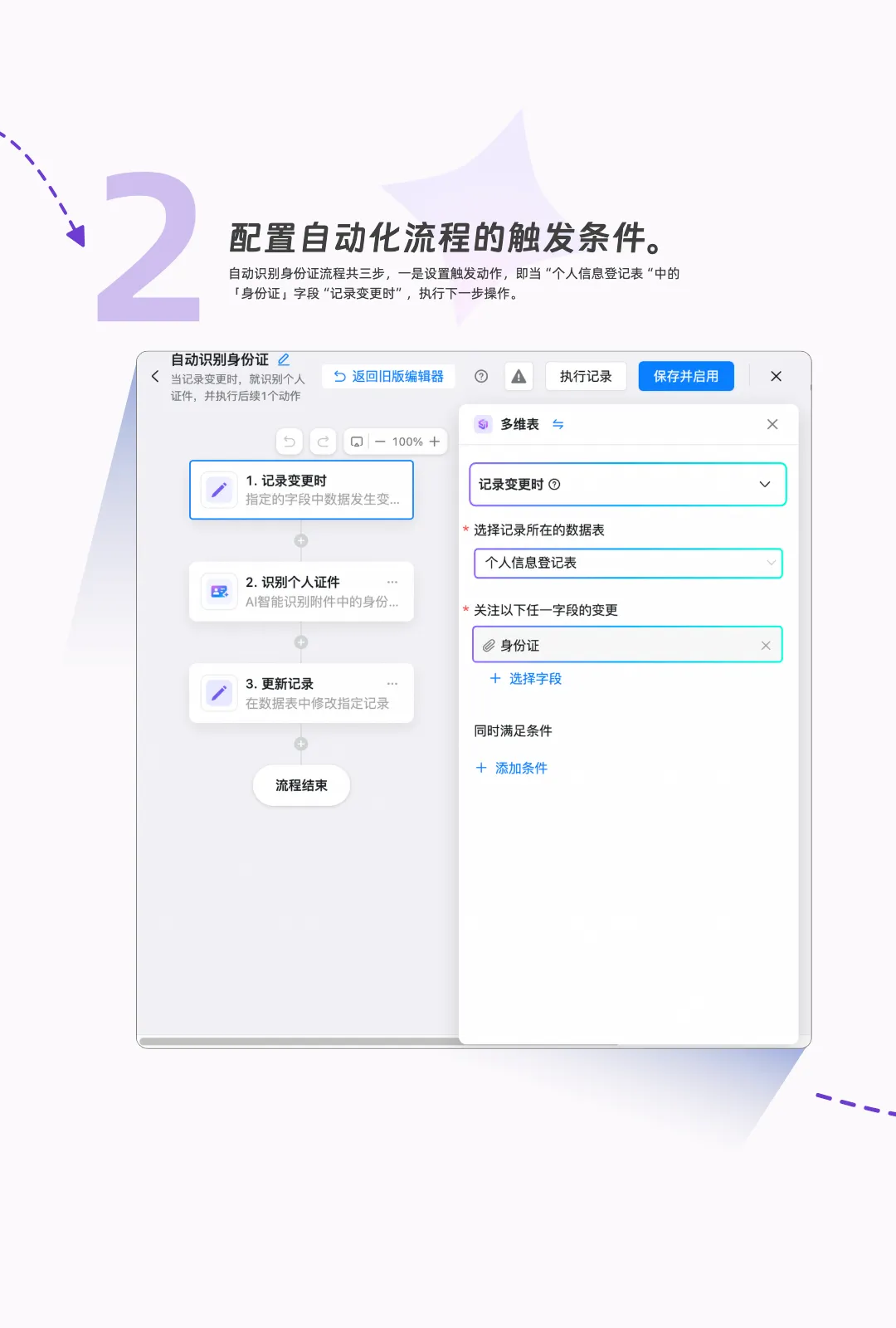
Many people are still unfamiliar with automation workflows. In fact, it’s about pre-setting rules for multi-dimensional tables. After you set “trigger conditions” and “action steps,” the multi-dimensional table will automatically perform actions whenever data changes.
Typically, we set up automation workflows after building a complete multi-dimensional table. In addition, by combining forms (for data entry) with automation workflows (responsible for automatic execution), you can automatically process information without even opening the multi-dimensional table.
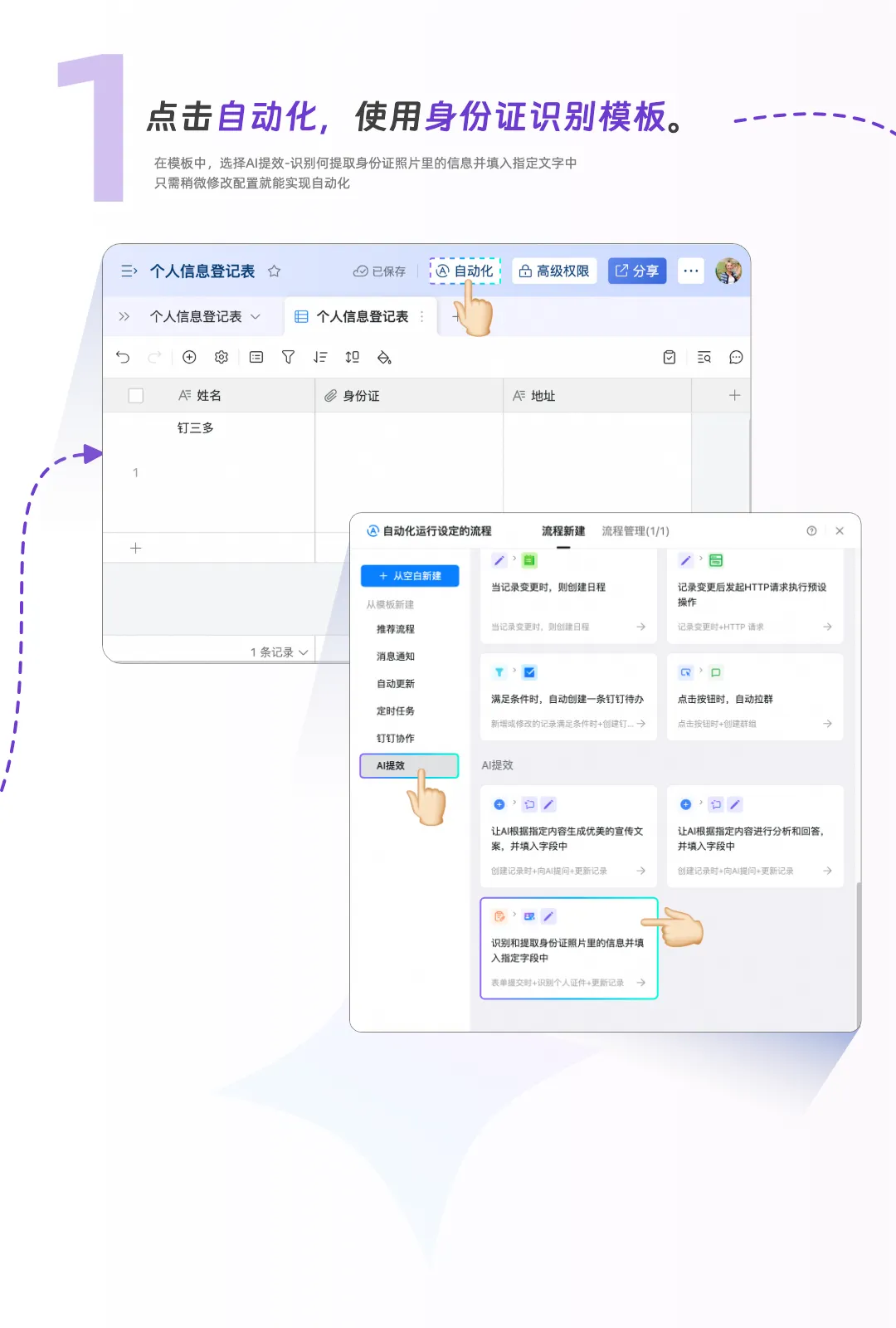
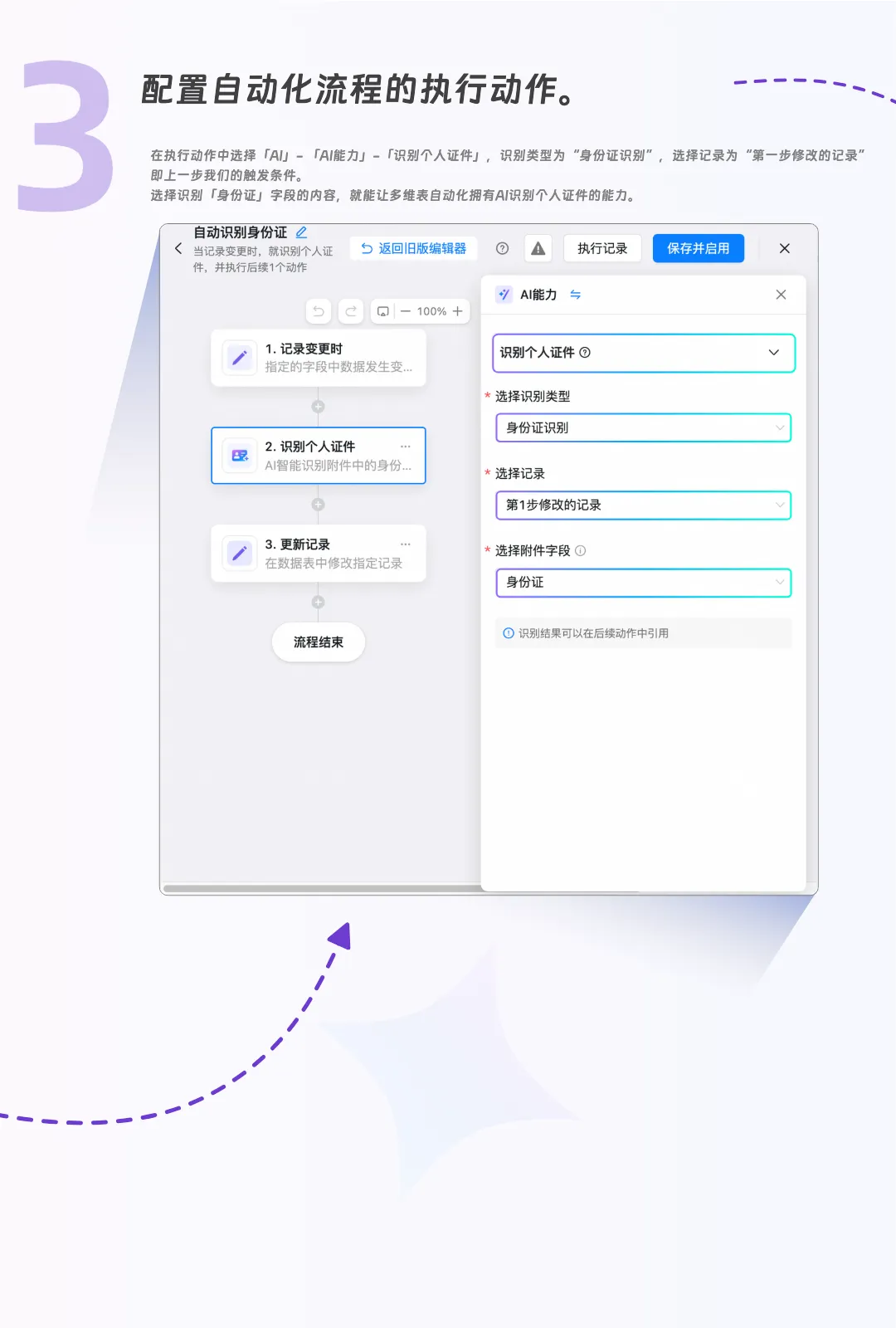
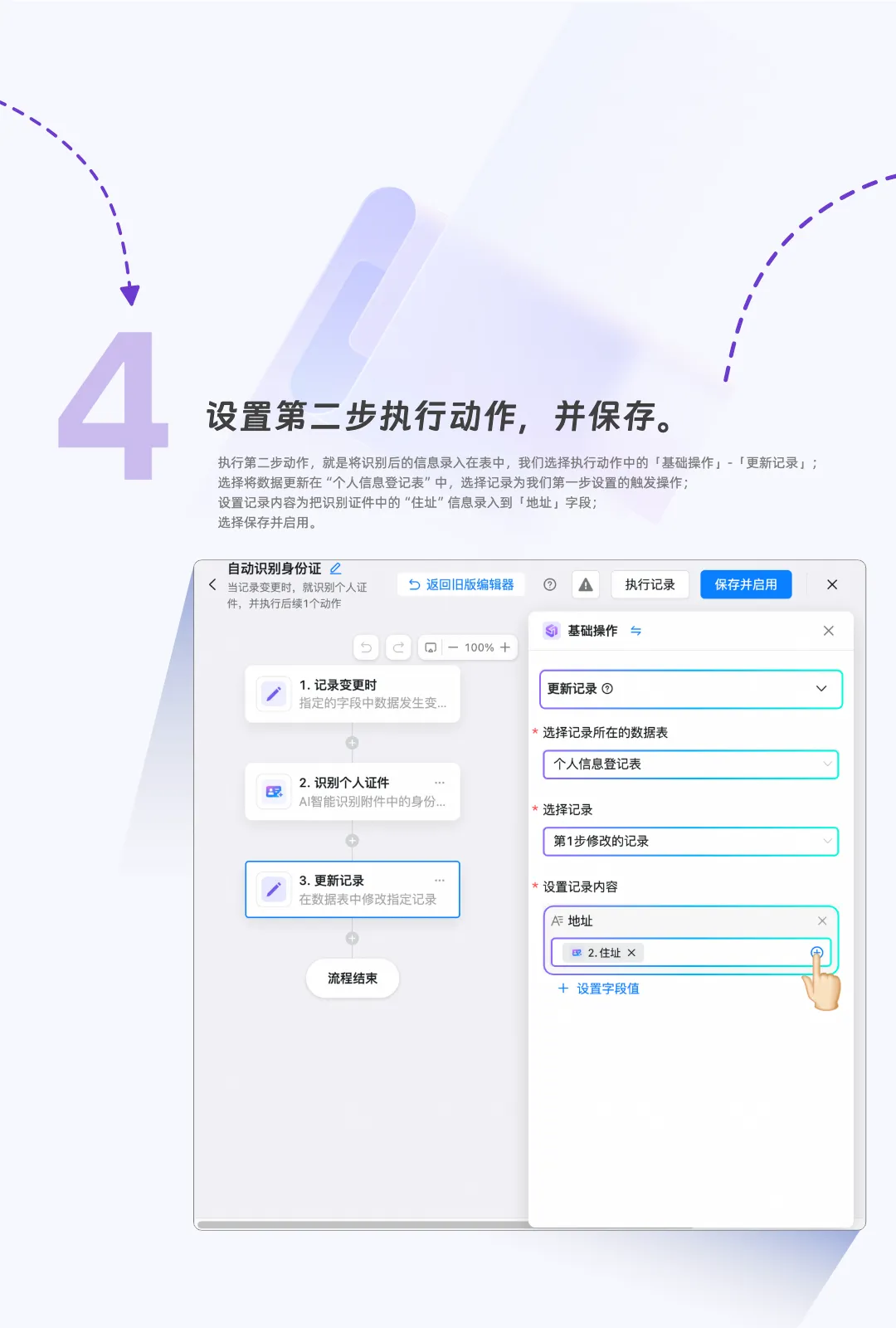
Once you set up an AI automation workflow, the multi-dimensional table gains the ability to automatically call on AI to process data—for tasks such as “Ask AI,” “Parameter extraction,” “Image interpretation,” and “Personal document recognition,” among others.
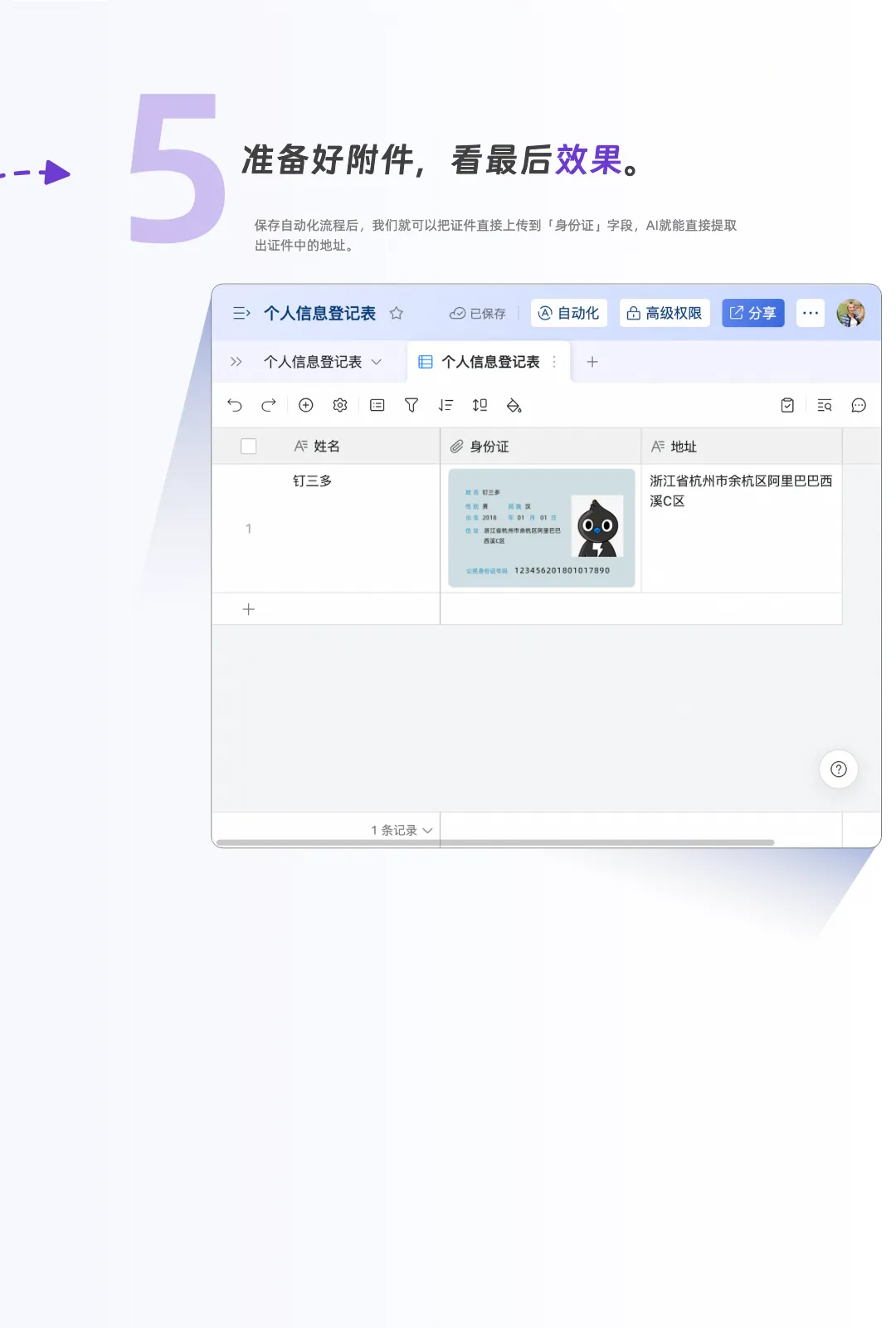
For example, by using “Personal document recognition,” employee information entry can be easily automated. This not only improves work efficiency but also greatly reduces the likelihood of human error.
Scroll down to see how easy it is to use?
Smart dashboard generation
- The value of data, at a glance -
As a powerful business system, multi-dimensional tables can effectively manage and analyze complex data structures.
When we need to gain insights from data, we need a dashboard.
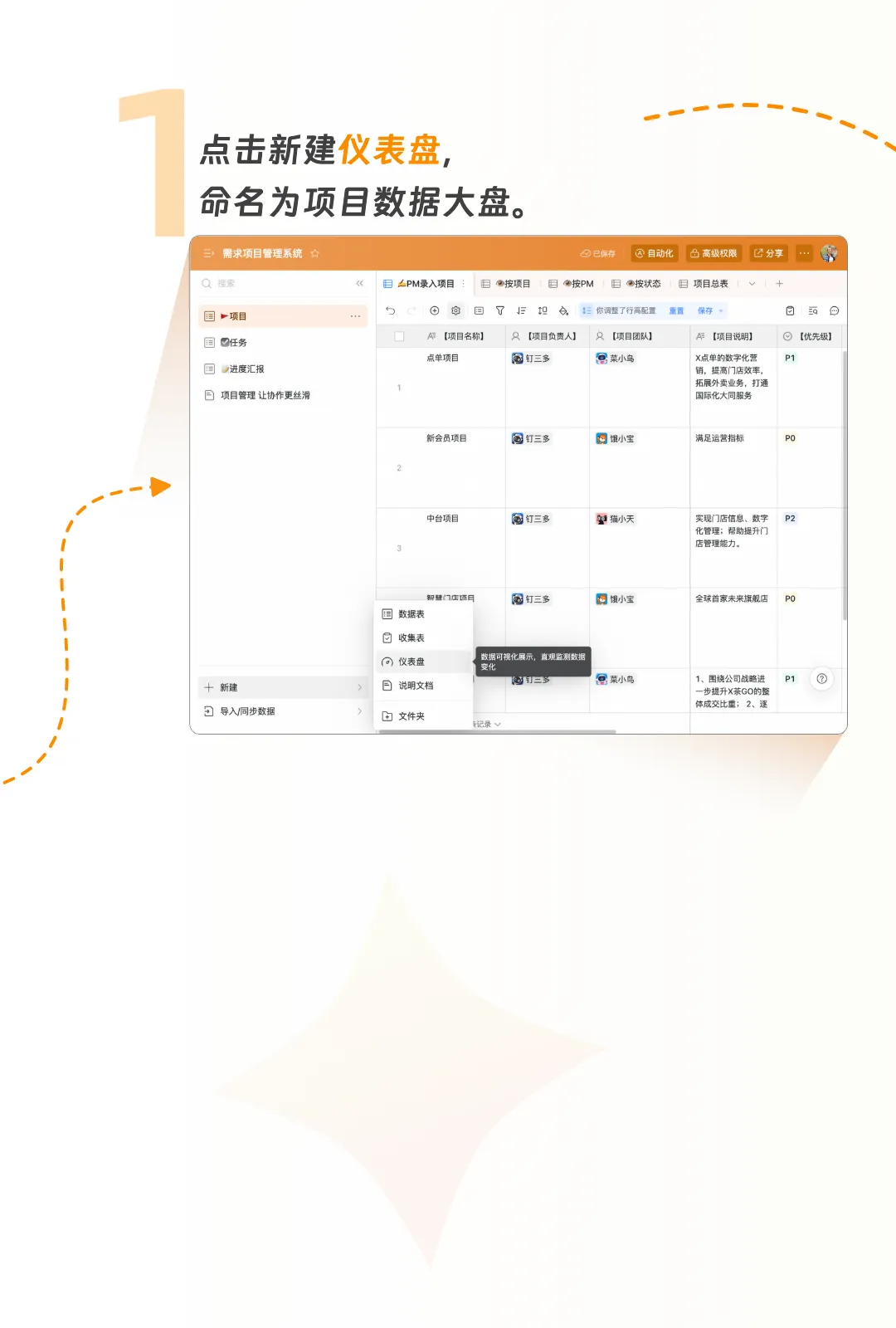
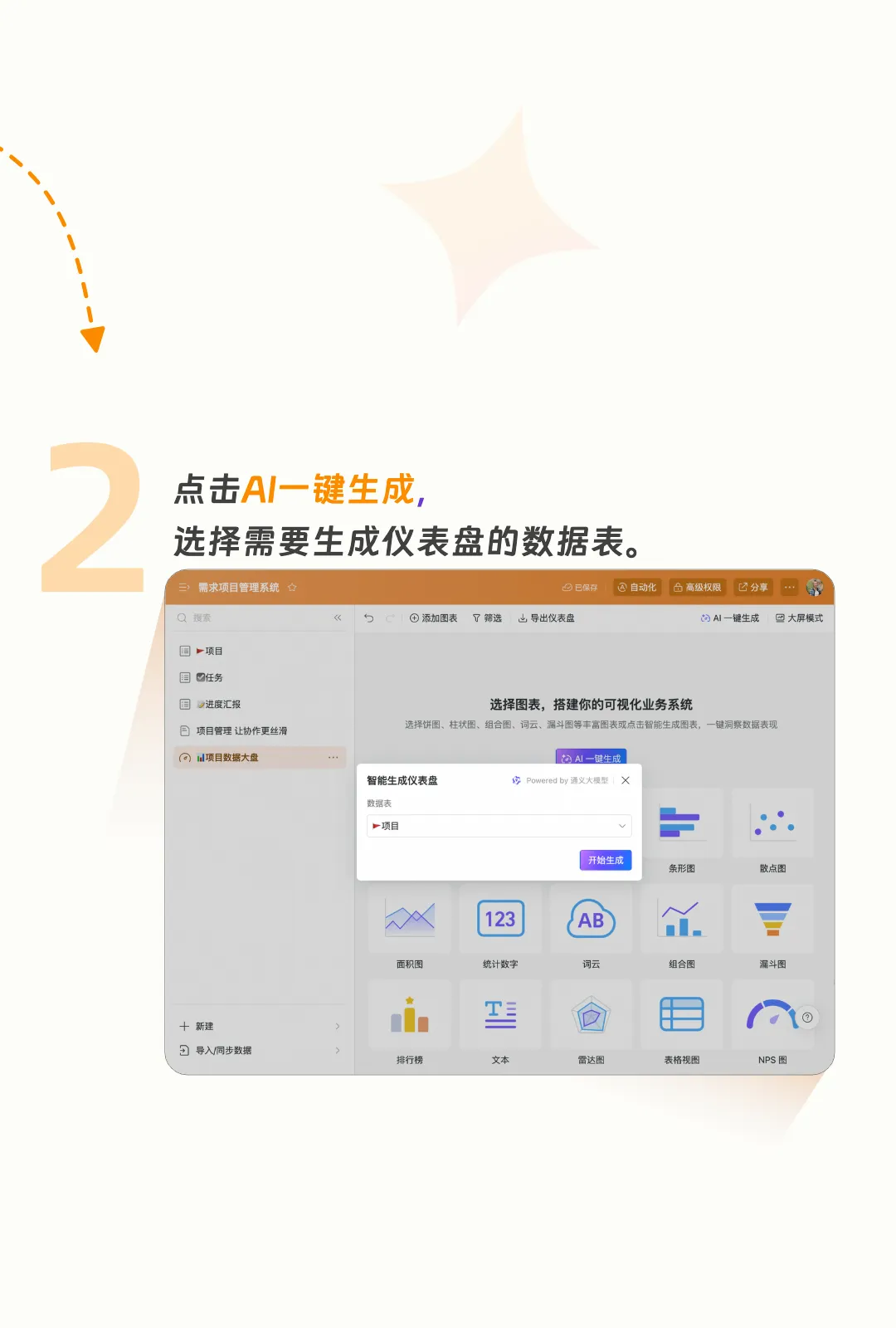
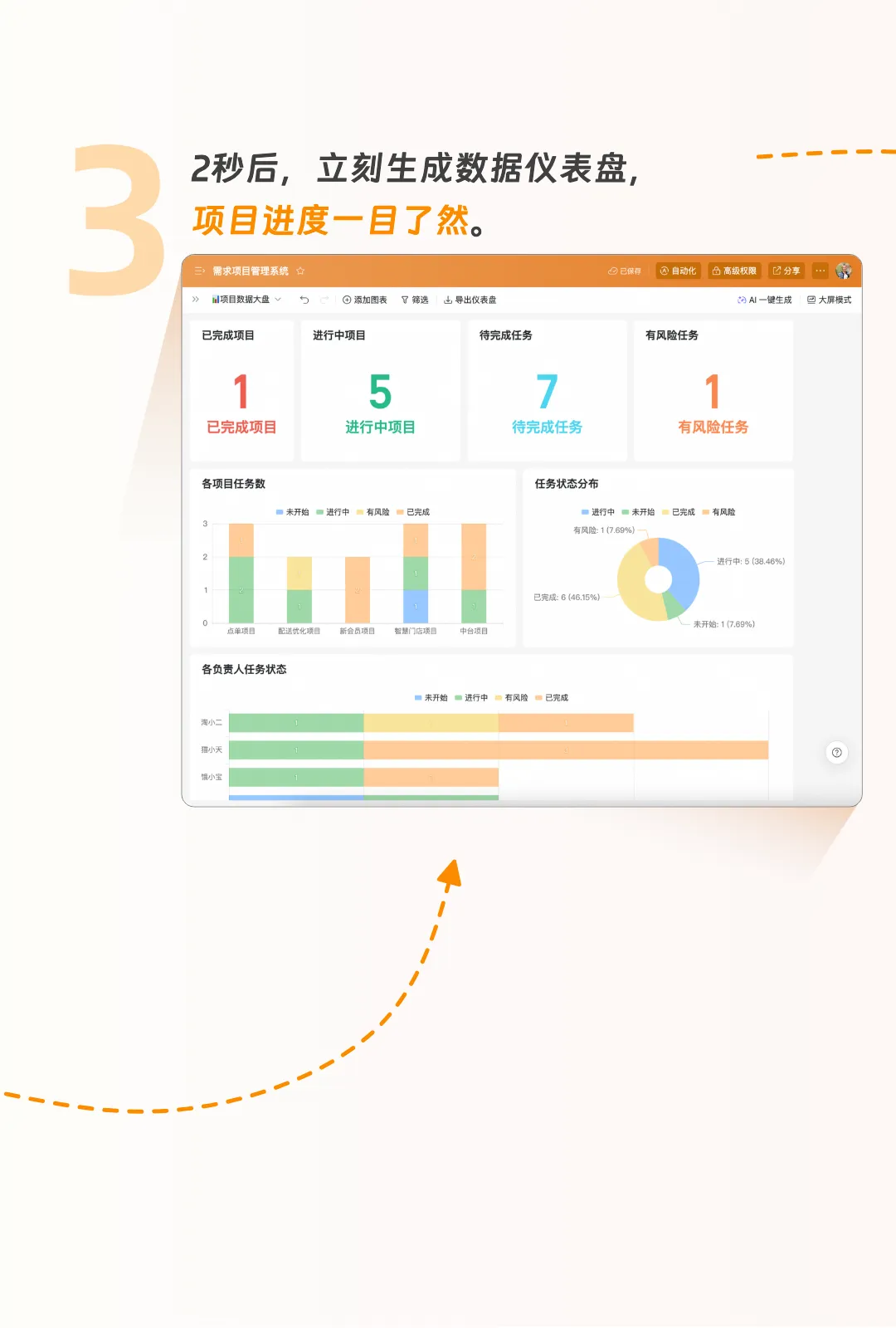
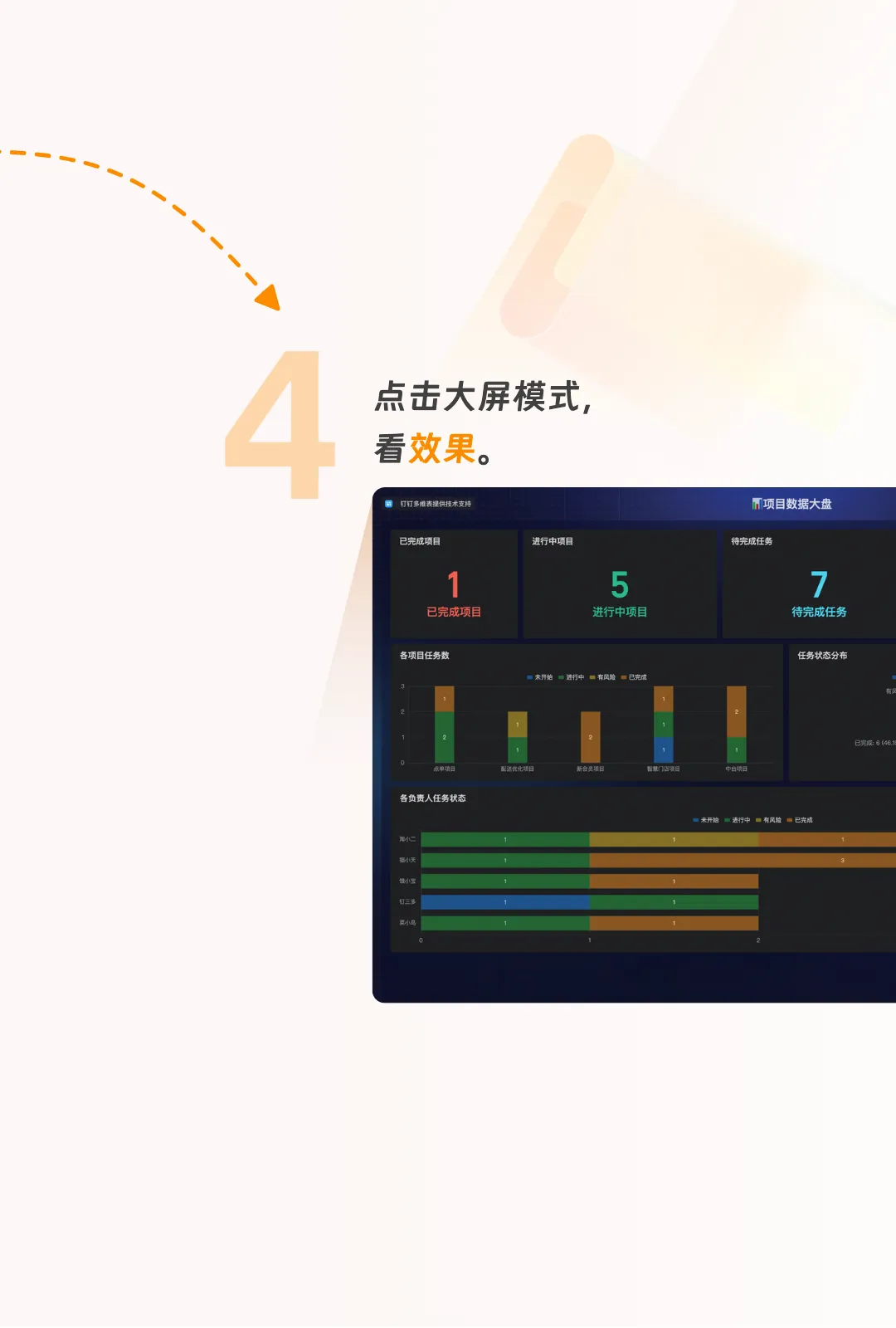
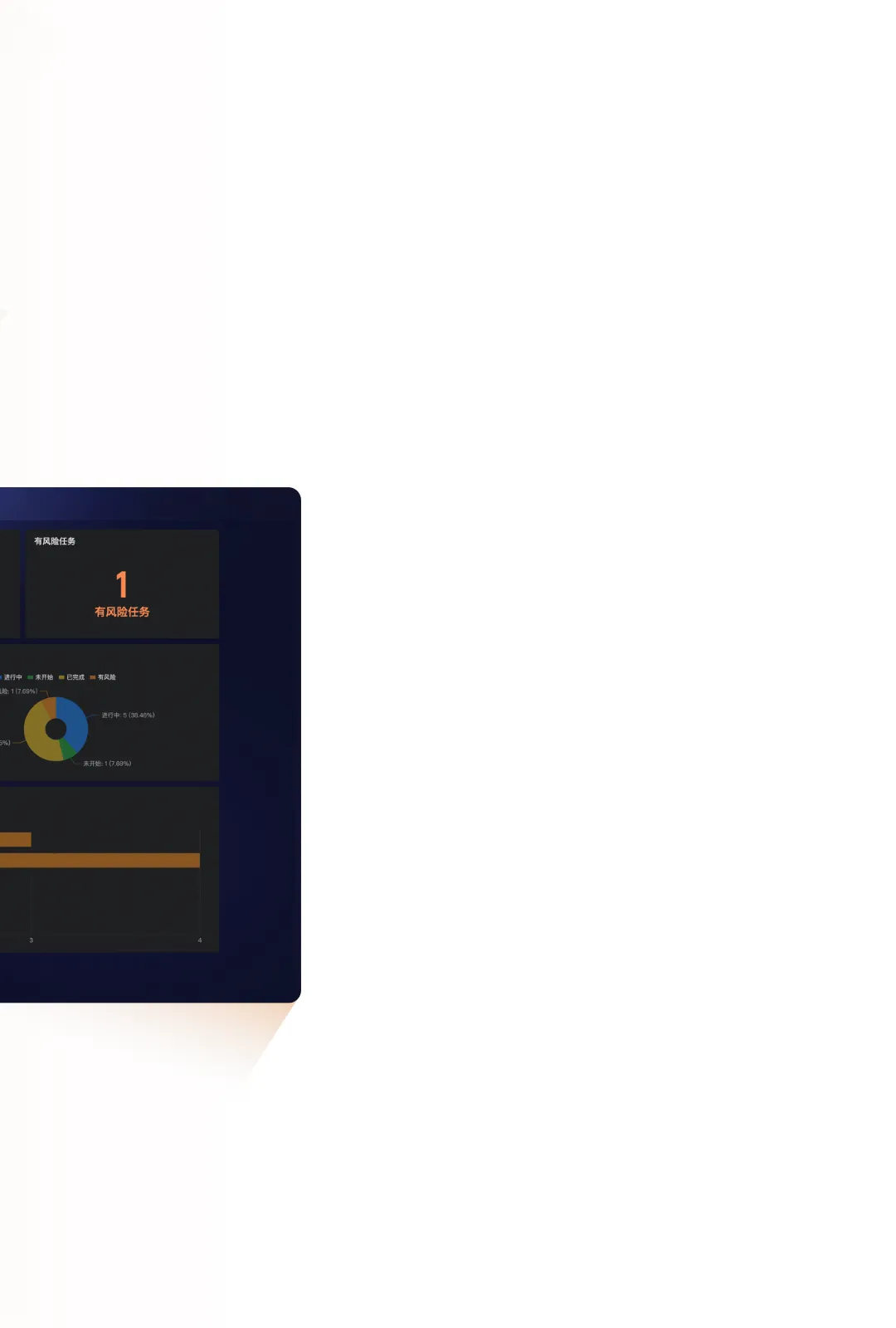
You can generate a data dashboard with one click using smart dashboard generation. It offers drag-and-drop layout options, a professional design, and the flexibility to view data however you like. This makes it easy for both data analysis professionals and beginners to access and interpret key metrics, achieving an ideal state of data-driven decision-making.
Scroll down to see how easy it is to use?
In the world of multi-dimensional tables, AI is not just usable—it’s incredibly useful.
Not only are the basic capabilities completely free, but there are also many templates for different scenarios that you can apply with a single click!
As the next-generation productivity tool, we hope that multi-dimensional tables are not only easy and practical to use, providing users with an efficient and seamless data processing experience, but also inject new momentum into the intelligent transformation of enterprises.
DomTech is DingTalk's officially designated service provider in Macau, specializing in providing DingTalk services to a wide range of customers. If you’d like to learn more about DingTalk platform applications, you can contact our online customer service directly, or reach us by phone +852 95970612 or email [email protected]. We have an excellent development and operations team with extensive market service experience, and we can provide you with professional DingTalk solutions and services!