




 Português
 English
Have you ever had those frustrating moments at work?
Your colleague sends a CAD drawing that won’t open—and when you urgently ask for help, you find out they’re on a business trip.
A client sends a PDF contract that needs editing, but you can’t find the right conversion tool.
When your team collaborates, file versions get out of control, and annotation comments never match up.
Relax! DingTalk Docs is here to save the day.
Today, we’re introducing two hidden gems in DingTalk Docs—powerful tools designed to tackle all kinds of document-related headaches.
The Online CAD Collaboration Tool
- Designers and project managers rejoice -
Viewing CAD drawings no longer requires specialized software. DingTalk Docs instantly turns into a mobile workstation.
Designers can pull out their phones on the high-speed train to verify construction drawings, while project managers can use a tablet to annotate design changes in real time. The construction site transforms into a cloud-based meeting room in seconds.
No plugins are needed—just upload your file, and you can preview over 60 different CAD file formats. Use pinch-to-zoom and drag-and-drop to inspect intricate structures, view 3D models from multiple angles to examine their structure and technical details, and measure dimensions online—all meeting users’ basic CAD processing needs.
Even “light users” in production or sales departments who don’t frequently use CAD software don’t need to download specialized programs or set up dedicated equipment—viewing CAD files is now as easy as viewing documents or images!

At the same time, DingTalk Docs supports multi-user collaboration and real-time annotations. Team members can join in, making design reviews faster and more intuitive. All historical annotations are traceable, so you’ll never again face the dreaded question, “Which version are you referring to?” This ensures information consistency and timeliness.
DingTalk Docs seamlessly integrates “online CAD viewing” with real-world work scenarios, transforming it from a standalone feature into a collaborative workflow that brings greater convenience to designers and project managers.
PDF Conversion and Splitting—Done in One Click
- A handy toolkit for word workers -
In daily work, we often encounter situations where we need to convert PDF files into Word documents for editing.
Manually typing out each word? That’s way too time-consuming.
The free PDF processing tool in DingTalk Docs gives you full control over PDF conversions, boosting your office and study efficiency in a big way!
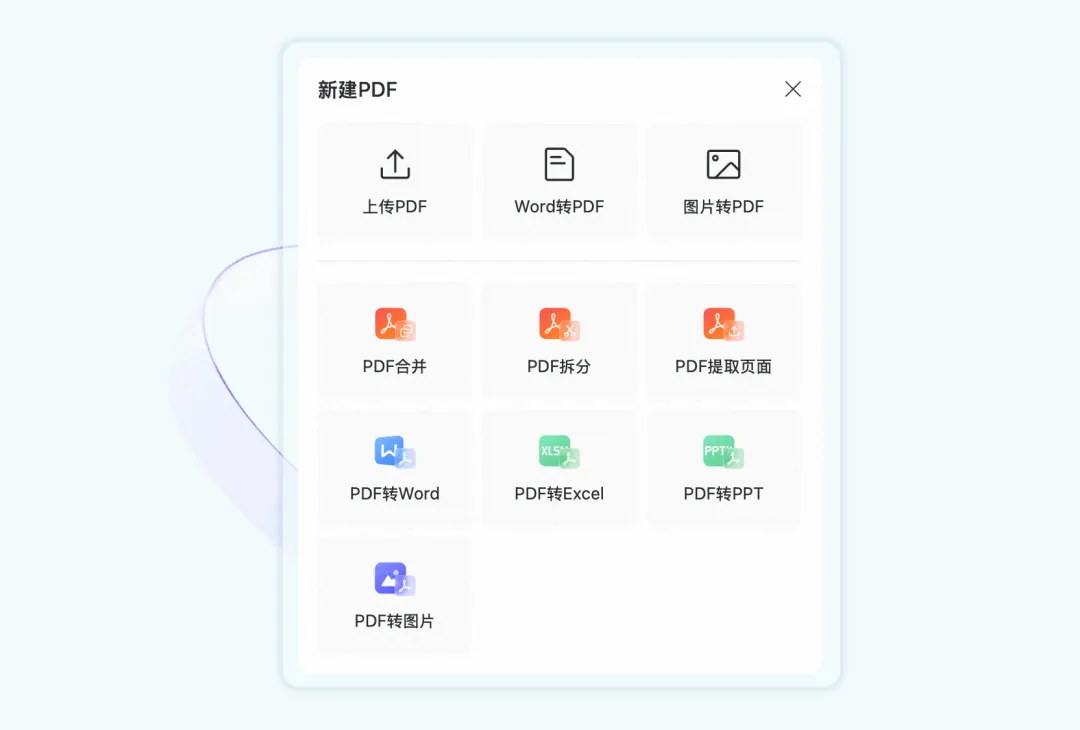
Click “New PDF” on the DingTalk Docs home page to see a range of powerful features. No need to download specialized tools—just upload your file and click once. The system automatically processes the PDF, and you can even view files up to 1GB in size directly online.
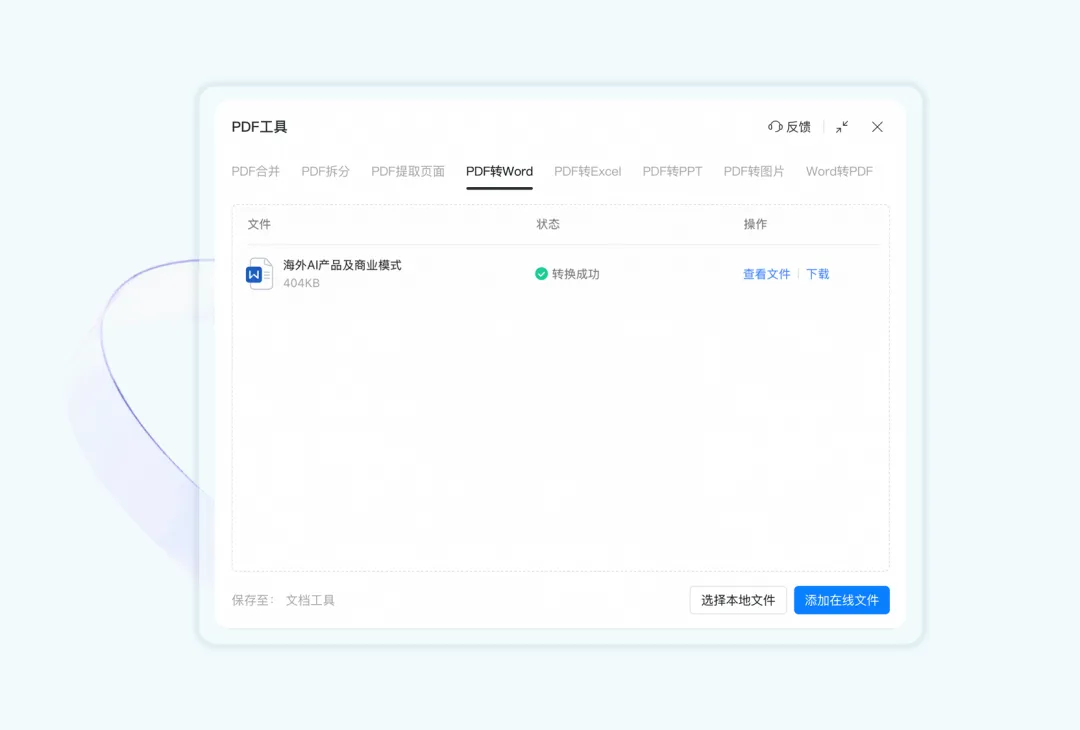
The PDF toolbox lets you seamlessly convert PDFs to Word, Excel, PPT, and images with a single click—easily handling various needs for word workers, such as preparing lesson plans, drafting contracts, or writing papers.
Additionally, users can merge, split, or extract pages from PDF files—for example, extract one or multiple pages and combine them into a new PDF. This is a huge win for teachers, lawyers, students, and other word workers!
These two powerful tools are hidden inside DingTalk Docs!
Now, take a deep breath, open DingTalk Docs, and type “Done” with confidence.
DomTech is DingTalk's official service provider in Macau, dedicated to providing DingTalk services to a wide range of customers. If you’d like to learn more about DingTalk platform applications, feel free to contact our online customer service, or call +852 95970612 or email [email protected]. We have an excellent development and operations team with extensive market experience, ready to provide you with professional DingTalk solutions and services!