




 Português
 English
For large-scale corporate events, use "DingTalk Live" for your livestreams!
In recent times, organizers of Ant Group's 20th-anniversary event—as well as leading enterprises across various industries—have leveraged DingTalk Live to create exclusive corporate atmospheres, host ultra-long online broadcasts, and connect international office locations in real time. As year-end galas approach, businesses are actively planning their annual meetings, and virtual year-end events have become an indispensable part of cross-regional corporate activities.
A well-prepared online livestream is typically theme-driven, interactive, secure and controllable in terms of content, and equipped with real-time data tracking capabilities.
So let's explore how you can effortlessly organize a livestreamed year-end event in just three steps using DingTalk.
Before the Livestream | How to Prepare a Themed Livestream
1. Quickly Connect Your Audience | Create a Scheduled Livestream and Share It Across Linked Groups
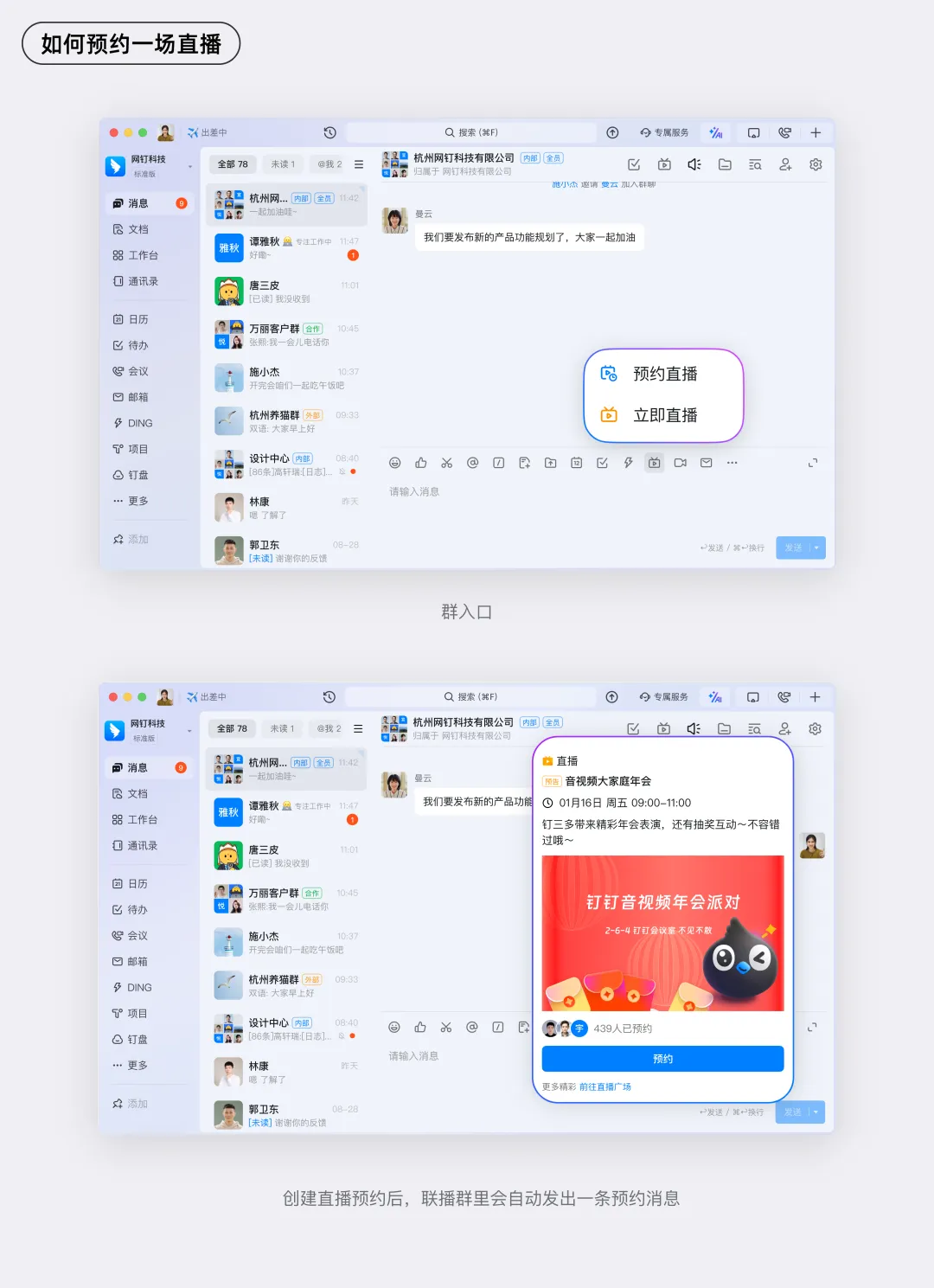
Organizers can initiate a scheduled livestream via the DingTalk calendar or within a DingTalk group. Based on the timing of the year-end event, select the appropriate time slot, livestream cover image, and other basic livestream settings. Once created, share the livestream invitation with linked groups so that viewers receive the event notification promptly.
2. Tease the Content | Set Up Warm-Up Comments to Build Excitement in the Livestream Room
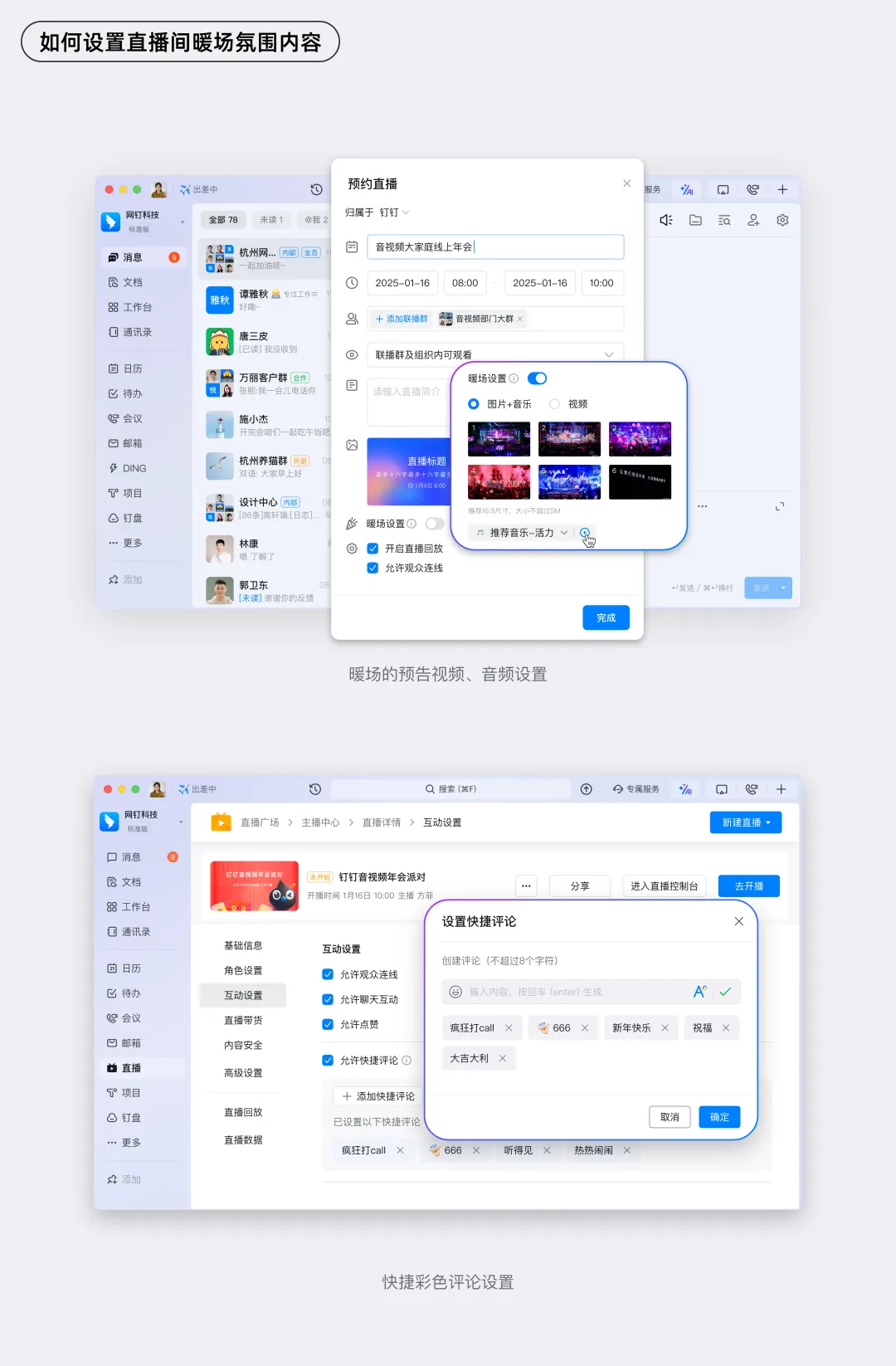
In the Host Center, organizers can set up warm-up audio or video clips. Before the livestream begins, viewers entering the livestream room can get a preview of the event's theme, helping them mentally prepare for the content. Additionally, configure quick comment messages tied to the event theme so that viewers feel immersed in the atmosphere as soon as they enter the livestream room.
During the Livestream | How to Create a Great Atmosphere and Ensure Content Security?
1. Set the Mood | Customize the Livestream Room's Thematic Ambiance
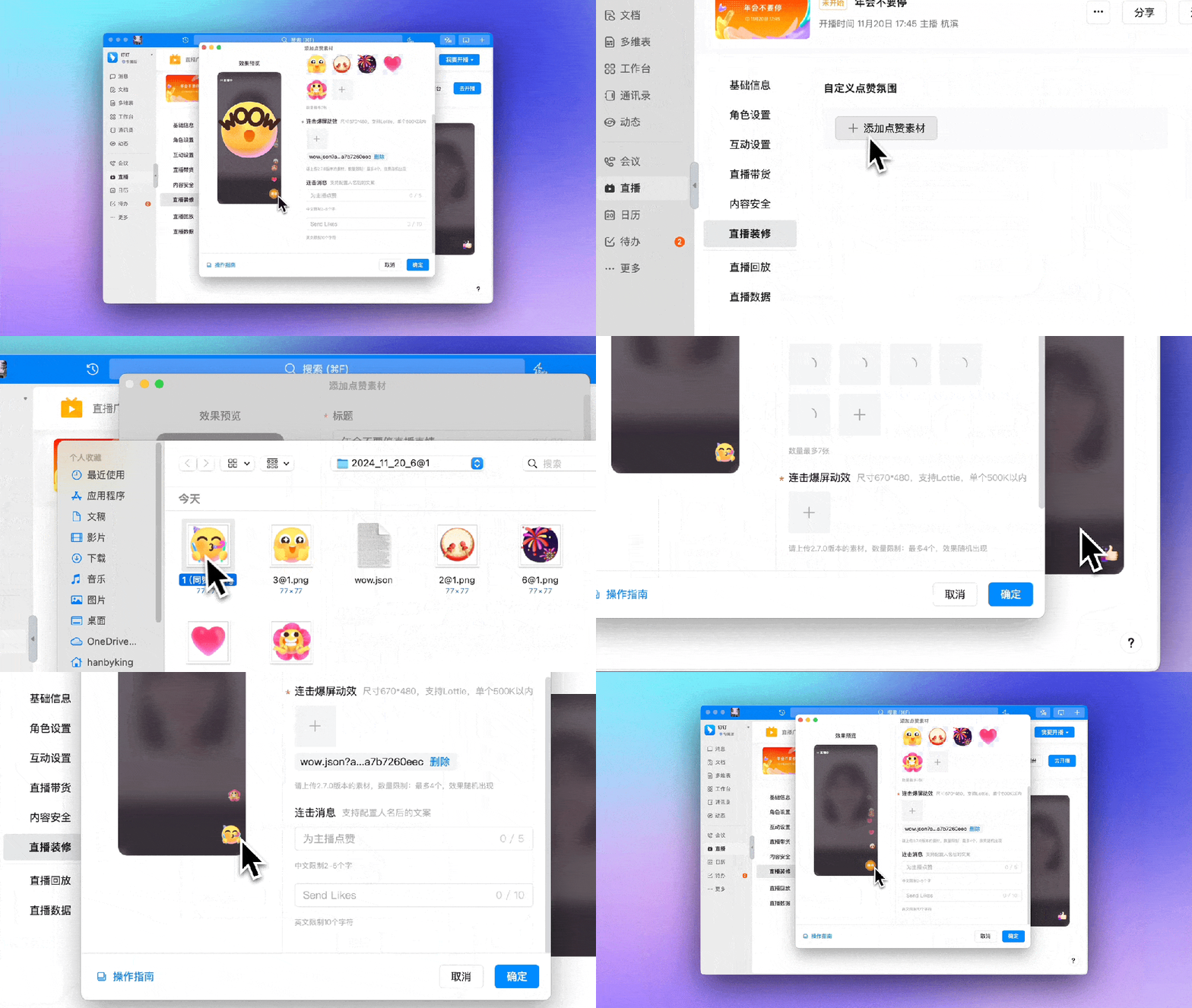
Organizers can customize multiple sets of livestream room "likes," combo effects, and other visual elements to enhance the thematic atmosphere of the event. Depending on the mood or scenario, switch between different themed ambiance settings to keep the livestream engaging and dynamic.
2. Engage Your Audience | Host Interactive Giveaways and Enable Cross-Group Collaboration
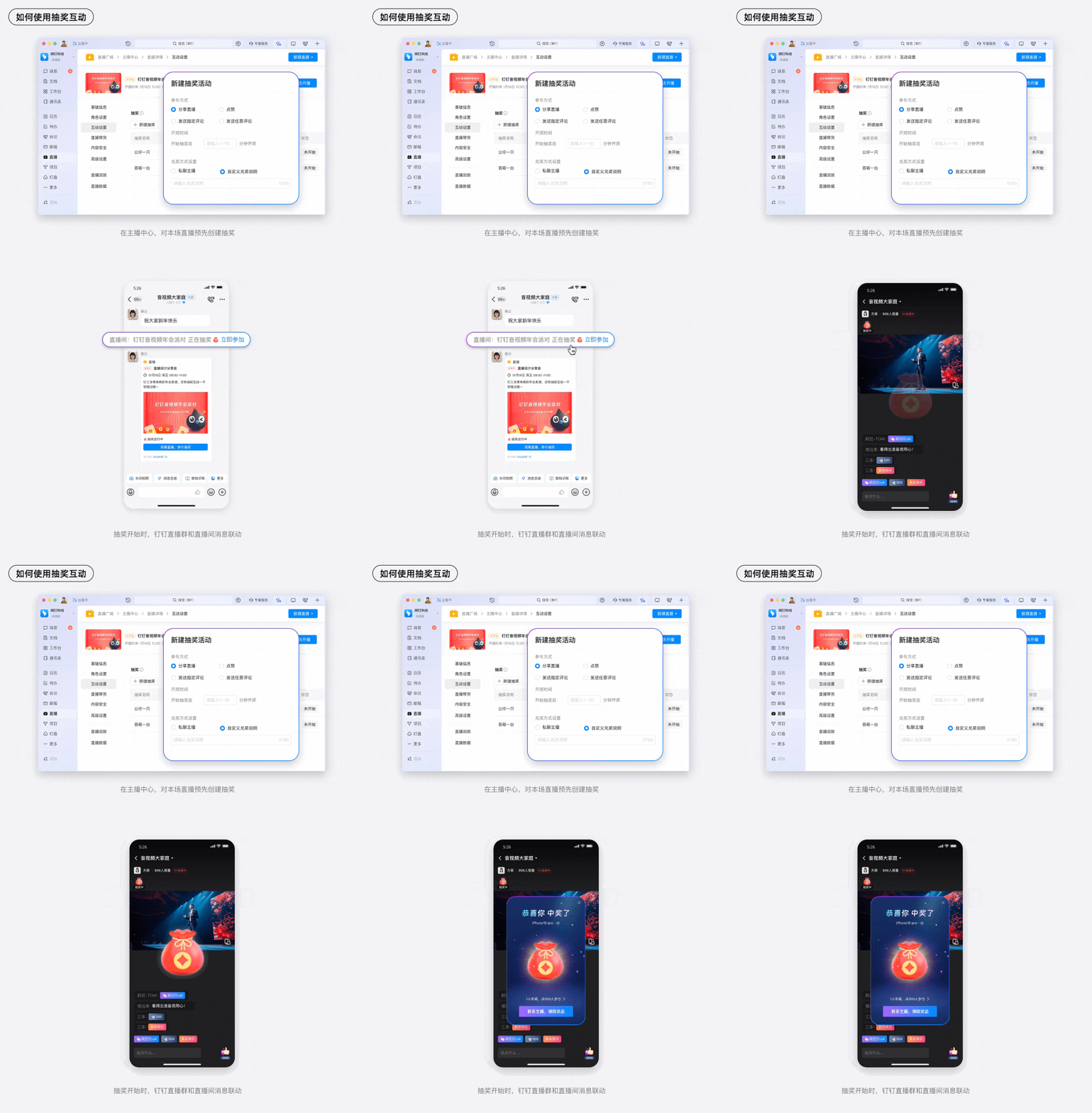
Organizers can set up multiple prize giveaways with varying entry requirements through the host interface or Host Center. Once a giveaway starts, linked groups will simultaneously receive a notification, drawing more viewers into the livestream and boosting engagement. Giveaways also add an element of fun and anticipation for participants. When the host initiates a giveaway, a notification will be sent to all linked groups, inviting everyone to join the livestream and participate in the prize draw!
3. Stay Secure | Configure Content Safety Settings for Livestream Comments
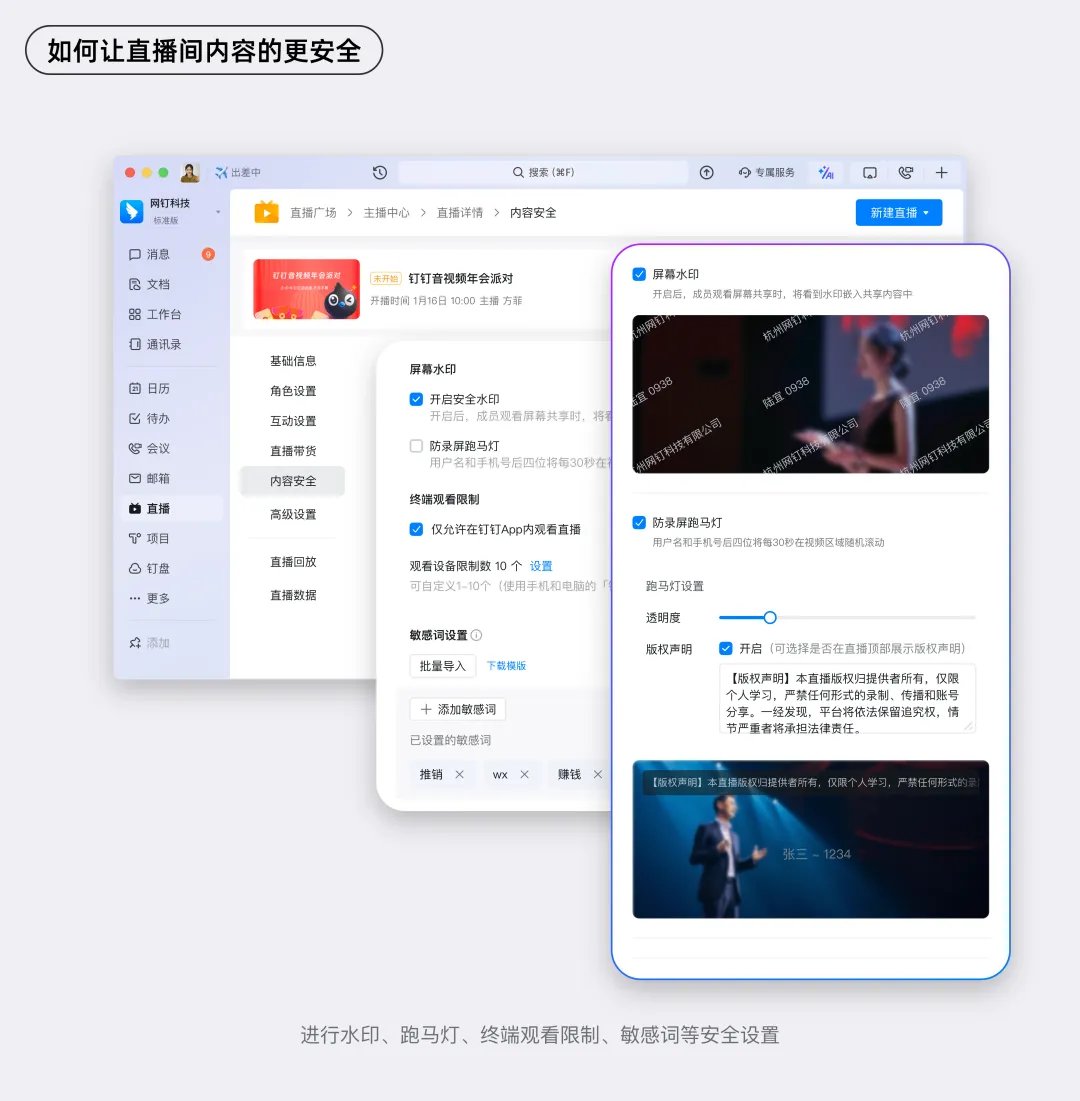
The content of a livestream is a critical asset for any enterprise. To ensure a safe and healthy environment, organizers can use preset configurations in the Host Center, such as comment filtering and video watermarks, to manage interactions within the livestream room effectively.
Organizers can also assign co-host roles in the Host Center, bringing additional team members into the year-end event planning process. Co-hosts can use the co-host dashboard to monitor livestream metrics in real time and manage audience interactions and comments.
After the Livestream | How to Evaluate the Event's Performance
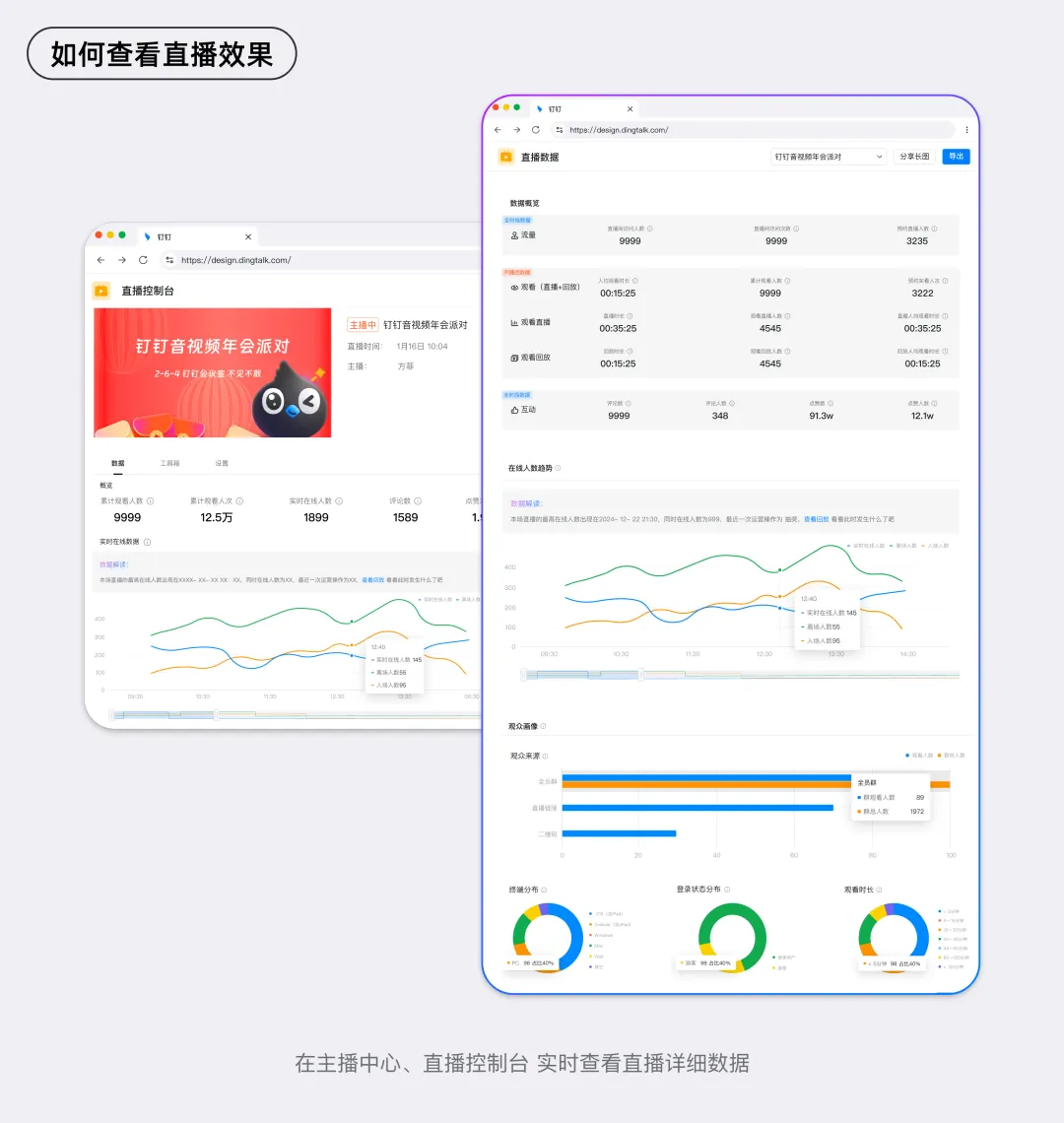
Data Review | Track Livestream Metrics Post-Event
From the moment a livestream is created, hosts can monitor key metrics in real time through the Host Center. Co-hosts can also use the co-host dashboard to track audience engagement data during the livestream. The wealth of data available helps organizers better understand the effectiveness of the livestream and optimize future events.
BESIDES THAT, here's the bonus: there's more!
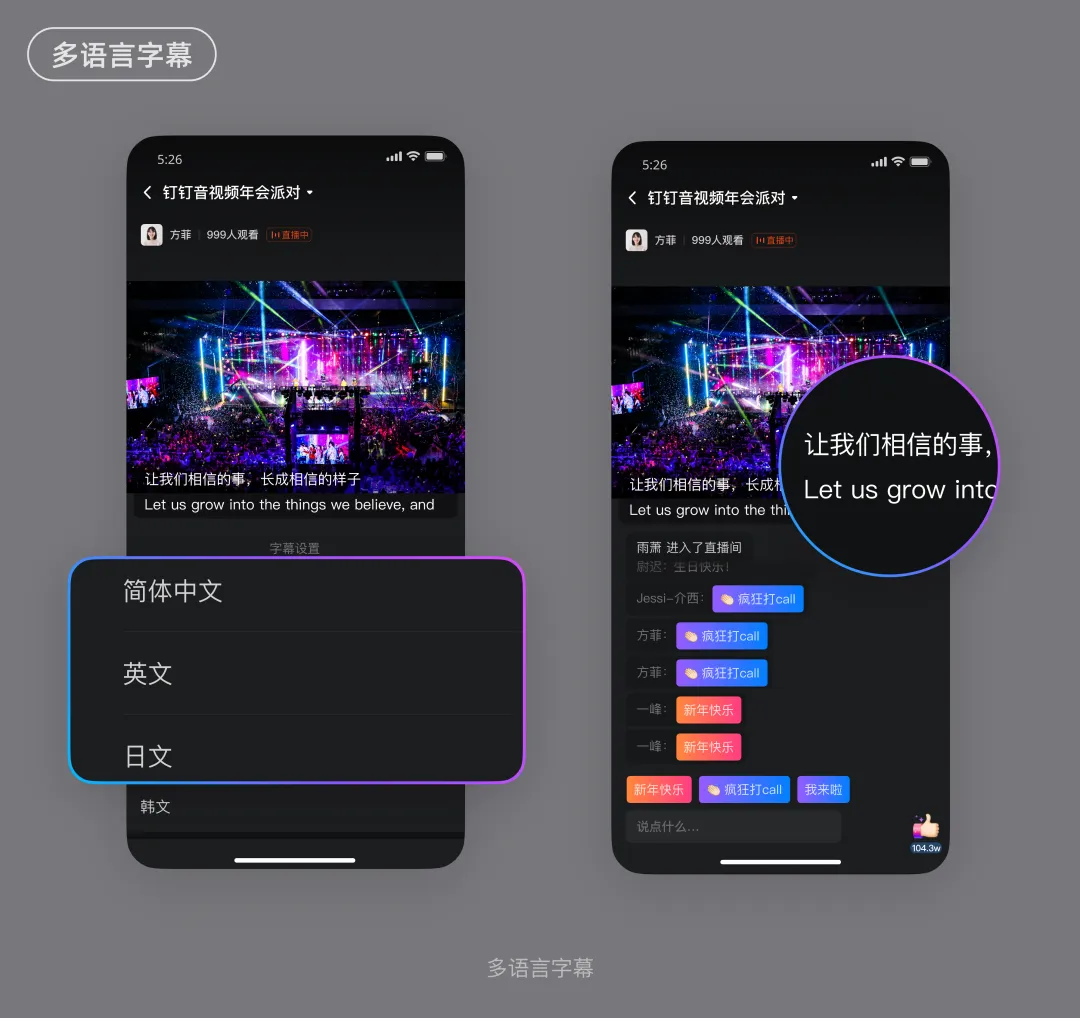
1. Go Global | Multilingual Subtitles and Precise Keyword Configuration for International Year-End Events
As companies expand their global operations, many have offices located in different countries. A year-end event is a special global celebration for the entire organization. DingTalk's audio and video livestreaming platform provides comprehensive support for enterprises looking to host international events. Employees anywhere in the world can seamlessly follow the livestream, enjoying low-latency, high-concurrency viewing experiences. In addition, DingTalk Live offers a keyword library feature, allowing organizations to pre-configure and manage industry-specific terms, proper nouns, and names, further enhancing subtitle accuracy.
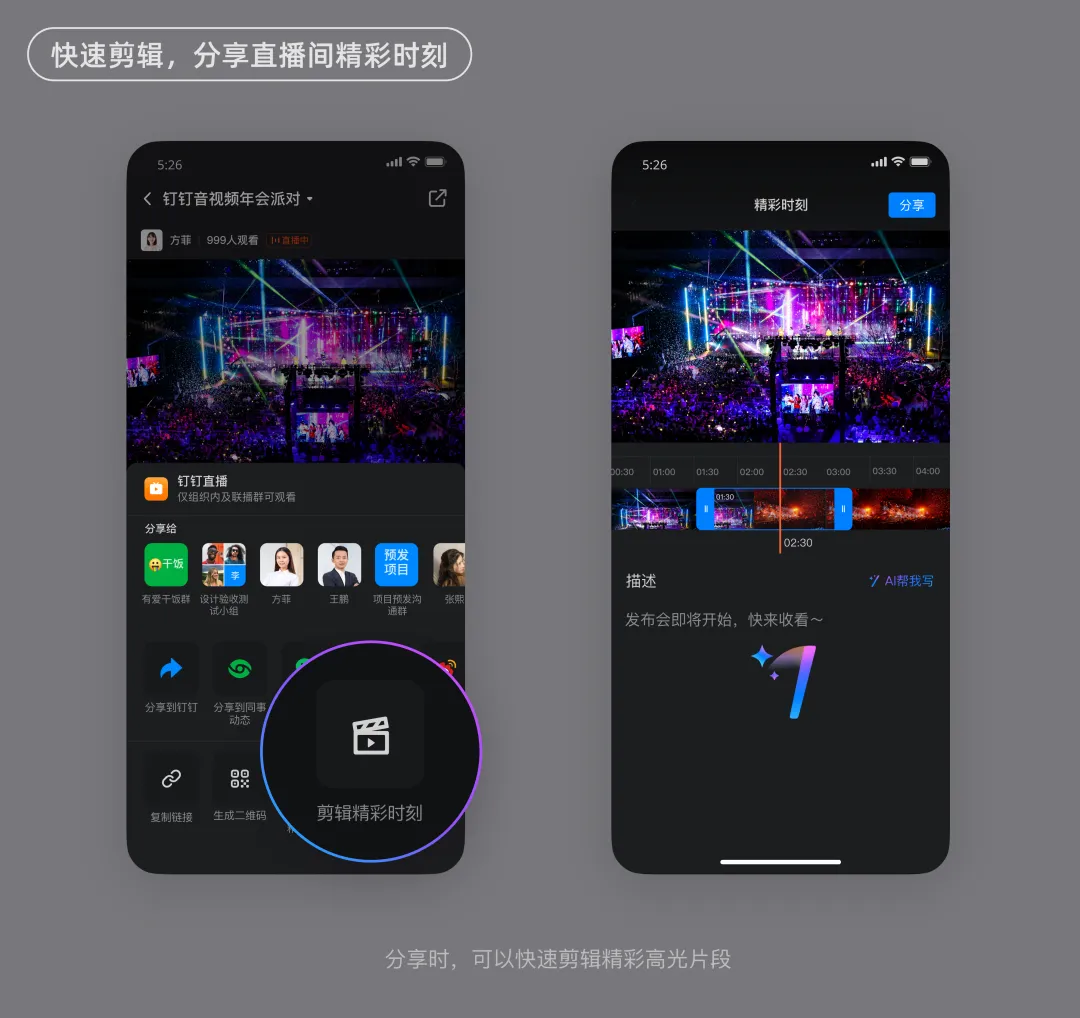
2. Highlight Moments | Quickly Edit and Share Memorable Clips
Hosts or viewers can use the livestream's "Highlight Moments" feature to quickly edit and share standout segments with friends, preserving and sharing the best moments from the event.
3. Smart Chapters | Use AI to Generate Chapterized Playback for Easier Viewing
Hosts can enable the "Smart Chapters" feature in the Host Center to structure playback videos in a more organized way. Viewers can jump directly to sections of interest, quickly accessing the information they need and enhancing their overall viewing experience.
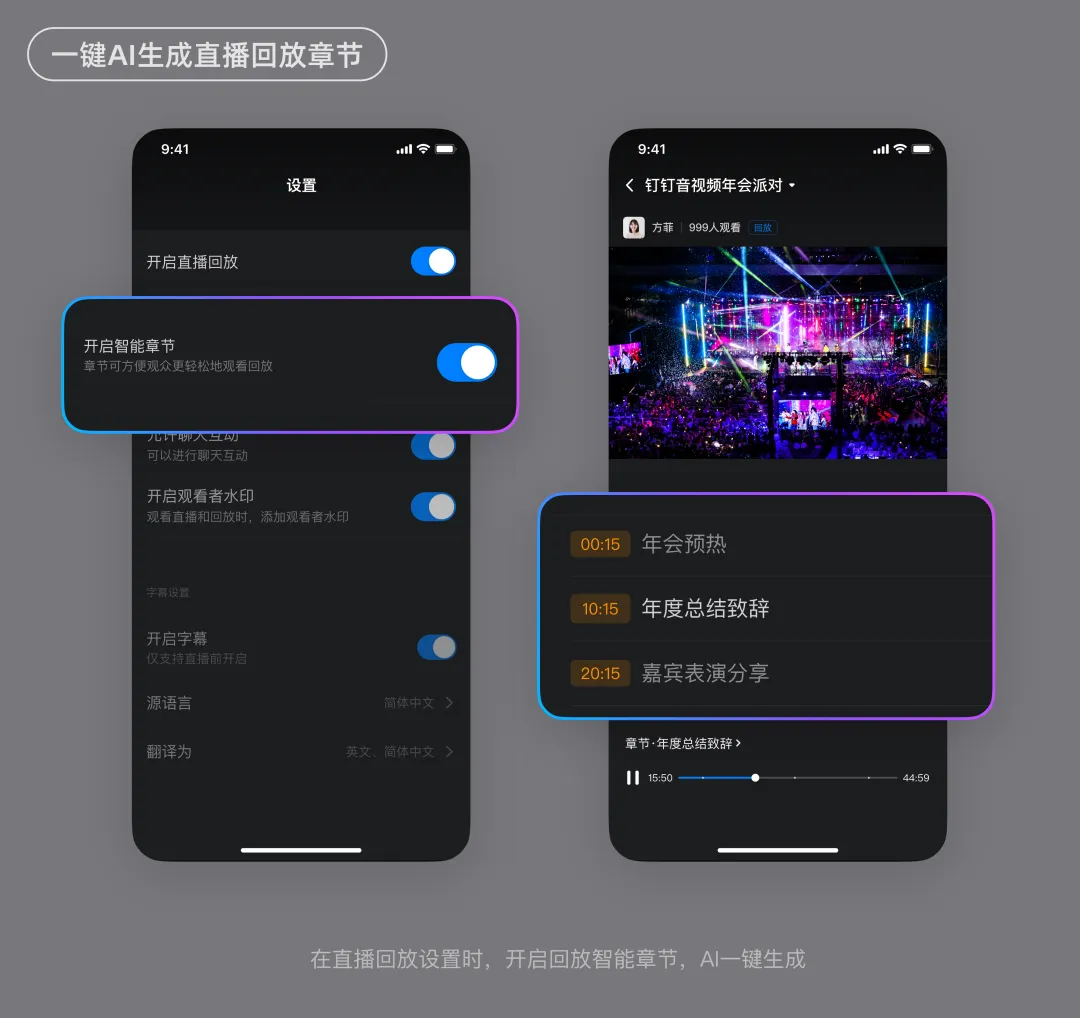
At the same time, viewers can click "Quick Notes" during playback to generate a text transcript of the livestream with a single tap, making it easier to search for specific content. The system also extracts key keywords from the video, allowing users to review and understand the content more efficiently, improving both learning and comprehension.
Conclusion
DingTalk Live makes it easy to connect groups and livestream rooms, providing a seamless viewing experience. Enterprises can customize their livestream rooms with unique year-end themes, set up warm-up content and quick comments, and even edit highlights during the livestream to share with friends. Multilingual subtitles ensure global accessibility, and voice-to-text features help participants stay engaged with the most important parts of the event. A variety of interactive features, including prize giveaways, can energize the livestream, while co-hosts can use the control panel to monitor the event in real time. Most importantly, features like video watermarks, scrolling text, and comment filtering ensure that the livestream content remains secure and healthy.
To host a lively year-end event, choose "DingTalk Live"!
DomTech is DingTalk's officially designated service provider in Macau, dedicated to providing DingTalk services to a wide range of customers. If you'd like to learn more about DingTalk platform applications, feel free to contact our online customer service or reach us by phone at +852 95970612 or by email at [email protected]. Our skilled development and operations teams bring extensive market experience to deliver professional DingTalk solutions and services tailored to your needs!