




 Português
 English
Writing is a [required course] and a [life-or-death challenge] for professionals.
👋 Still losing your hair over writing proposals, official documents, or new media content?
Is your head spinning from endless article drafts and script revisions?
Tired of clickbait headlines but still struggling to boost engagement?
Can’t come up with a brand strategy while your boss keeps pushing you?
Stuck on ad copy or event plans with no inspiration in sight?
Is writing official documents like climbing Mount Everest—only to hear your boss say, “It needs more depth”?
Are you questioning your life after endlessly drafting notices, reports, and summaries?
Now use DingTalk AI Assistant’s [Write for Me] feature!
The ultimate writing tool for office workers—double your efficiency and spark endless creativity!
Turn yourself into a [six-sided workplace warrior] in minutes.
Give it a try and make your workplace writing effortless and highly efficient!
If you’re a new media writer
Your brain feels like it’s showing a 404 error?
No worries! The AI assistant is your endless source of creative energy,
delivering fresh ideas nonstop
and making your content shine as if you’ve got a cheat code!
If you’re in marketing
The deadline is looming,
but your marketing plan is still blank?
Open the AI assistant,
enter your requirements, and get a ready-made plan with just one click.
Hand the tough tasks to the AI and submit with confidence!

If you work in the public sector
Revising documents over and over is taking a toll on your hairline?
The AI assistant generates a [final version] with a single tap,
leaving your boss nodding in approval and freeing you from late-night overtime.
From a document-writing beginner to a seasoned penman—just one AI assistant away!
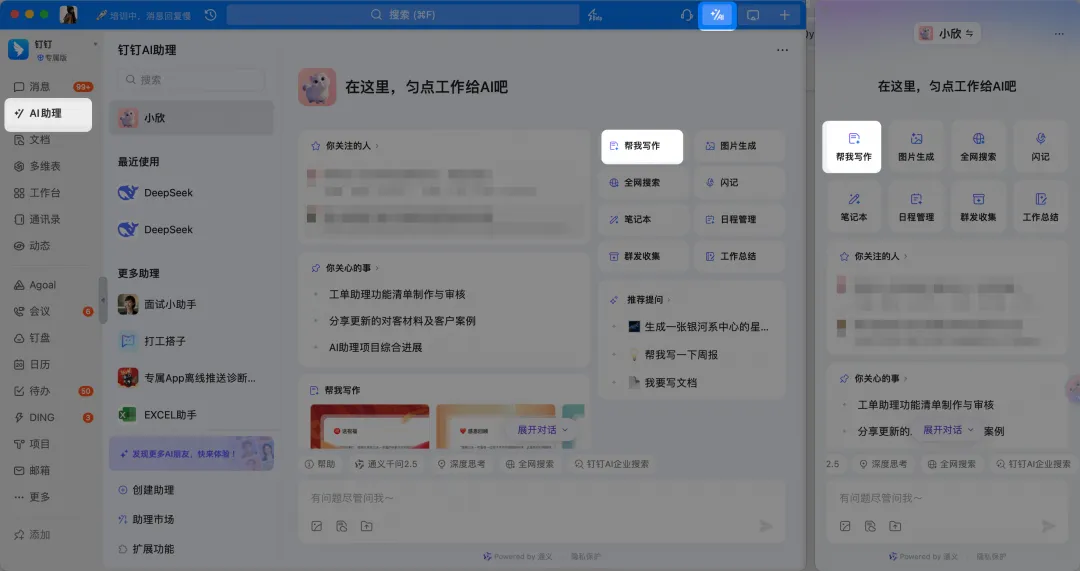
💻 On your computer:
Go to the main DingTalk interface → Click [AI Assistant] in the left sidebar → Enter the DingTalk AI Assistant homepage → Click [Write for Me].
Or click the magic wand icon in the upper-right corner of the main DingTalk interface → Open the AI Assistant LUI sidebar → Click [Write for Me].
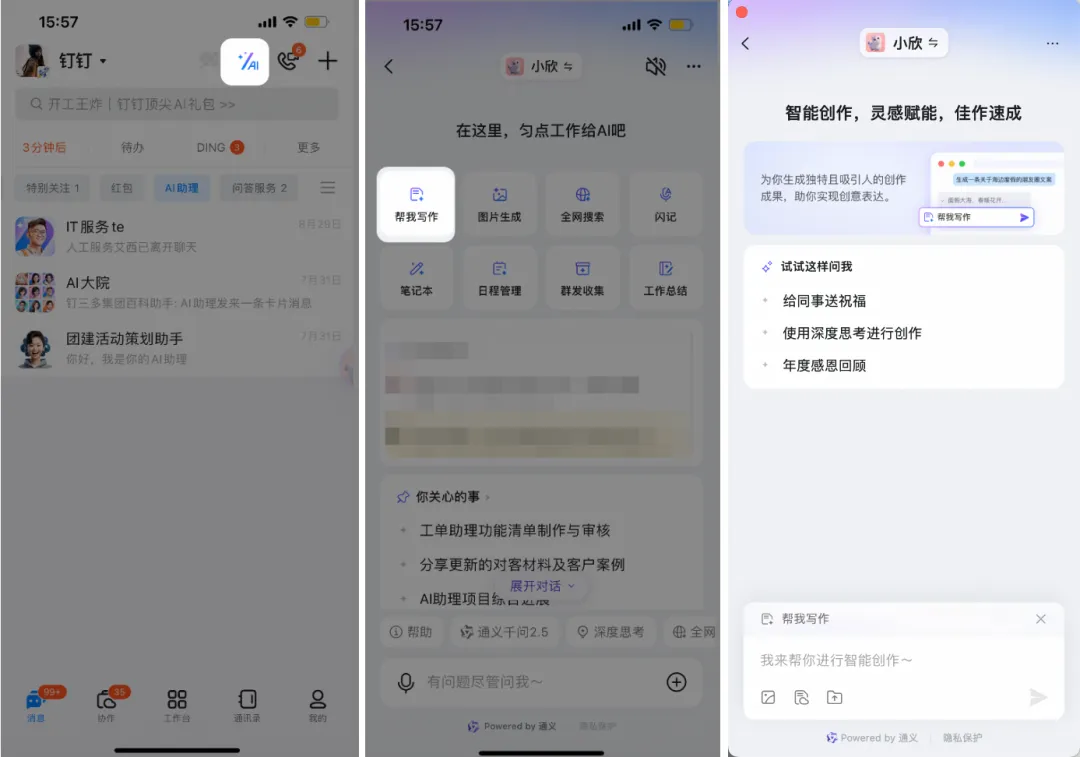
📱 On your mobile device:
Go to the DingTalk mobile app’s main interface → Tap the magic wand in the upper-right corner → Enter the DingTalk AI Assistant homepage → Tap [Write for Me] in the upper-left corner.
Here’s the key point!
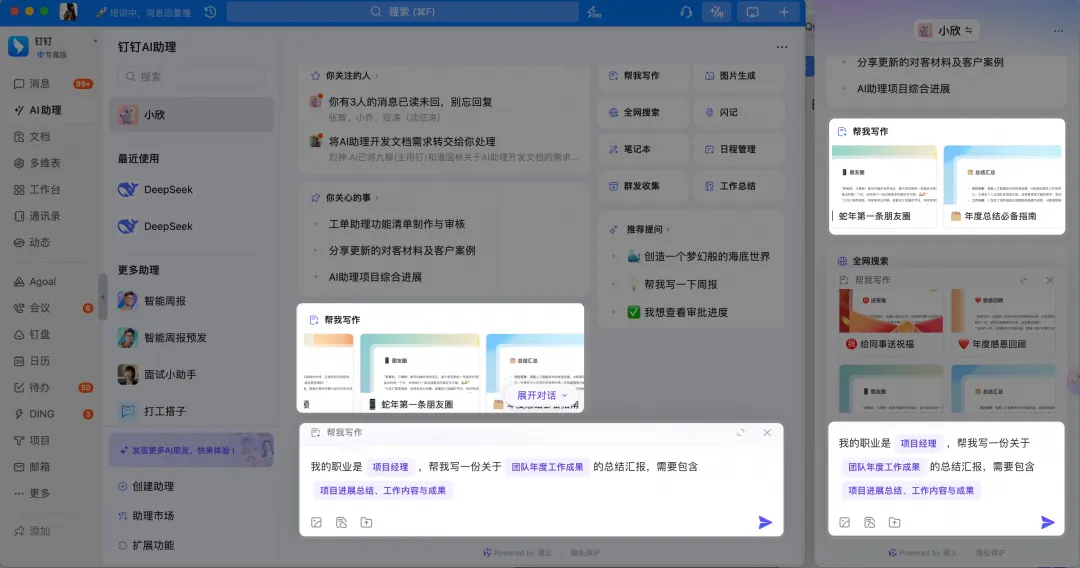
We’ve thoughtfully provided [prompt templates] tailored to different work scenarios.
Go to the AI Assistant homepage, click the [Write for Me] template library at the bottom, and activate the prompt templates with a single tap.
The more comprehensive your input, the more perfect your output will be.
Whether it’s marketing plans, official documents,
or viral new media copy,
the AI can handle it all with a single click!
Say goodbye to the awkward struggle of “typing till your fingers bleed with no inspiration in sight.”
Get your work done effortlessly and double your productivity!
The ultimate writing hack for office workers is now available—give it a try!
DomTech is DingTalk’s officially designated service provider in Macau, dedicated to providing DingTalk services to a wide range of customers. If you’d like to learn more about DingTalk platform applications, feel free to contact our online customer service, or reach us by phone at +852 95970612 or email at [email protected]. With an outstanding development and operations team and extensive market service experience, we can provide you with professional DingTalk solutions and services!